A.I. Tools & Projects
I share exactly zero of these as public repos because I am embarrassed. And also who knows what PII lurks beneath the surface!
- Case Study : ISP FUX - An ISP Monitor
- Case Study : YT-DLP-IS-TOPS Streamin' Video Downloadin'
- Casestudy : Up-Scaling, Retouching, & Colorizing from a Bad Source
Case Study : ISP FUX - An ISP Monitor
I use a website calling pinging.net when I am troubleshooting naughty ISP issues. It's a great website. But what's always bugged me is that I can't access it if I'm... offline. The trick is to load the website when you have internet and keep it running when you don't.
I also use a variety of Speed Test tools to check how my speeds are doing. If I'm paying for 1000 down, I want 1000 down when I'm wired to LAN (and close to 1000 down when I'm on WiFi that supports that speed).
I've never liked the way that Google's Speed Test is handled. Speedtest.net, while very accurate, has advertising that's annoying and that can contribute to your issues when you're debugging naughty internet.
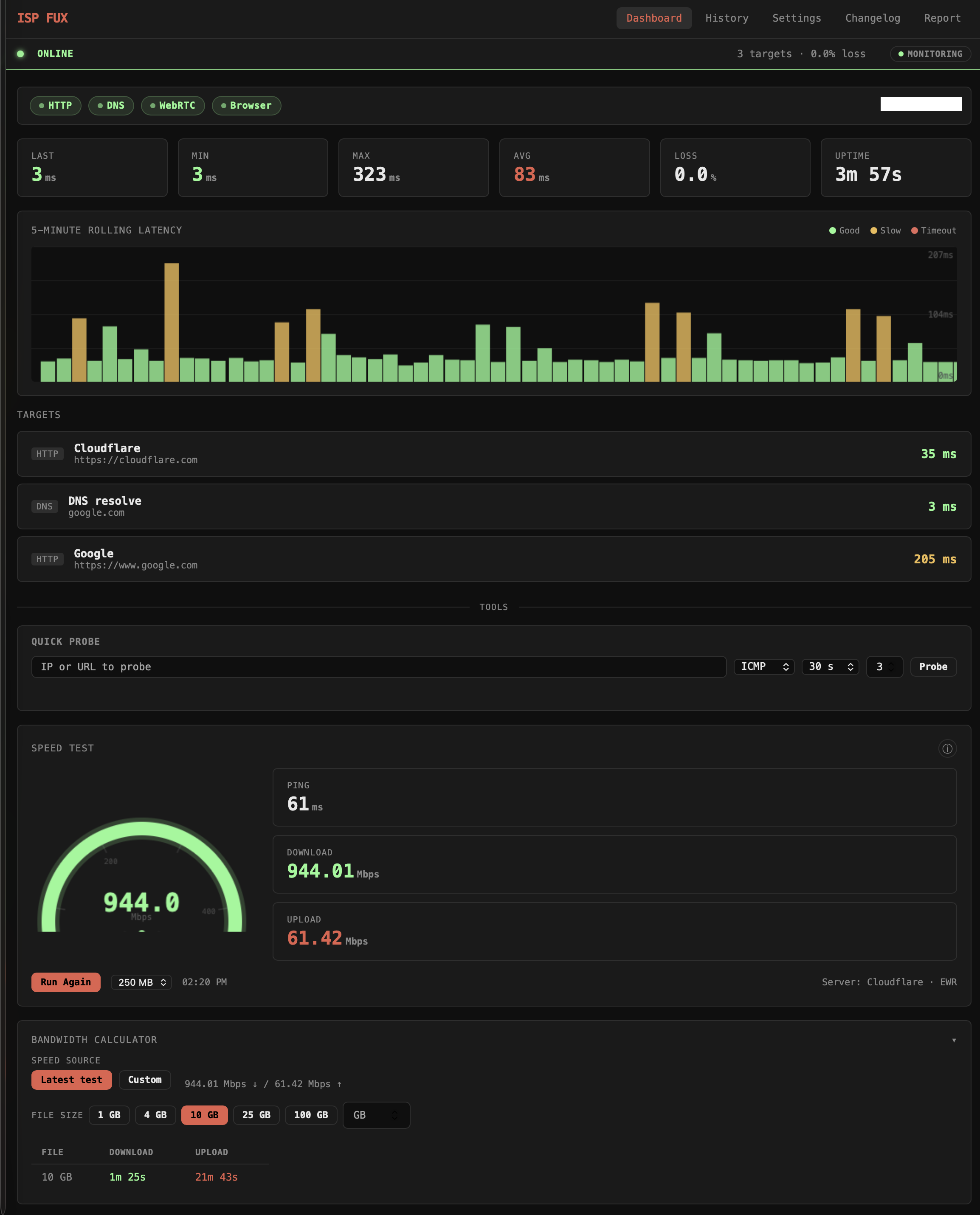
Enter ISP FUX, a tool I made in a weekend week and a half using Claude. The tool runs in the background and has a UI in your browser.
It monitors my pings over a custom interval.
It also has a Bandwidth Calculator to tell me how long something will take to download or upload based on my most recent tests (assuming whatever service I'm using can take advantage of the full bandwidth). I am frequently needing to calculate stuff like "it'll take 22 minutes to upload this 10 GB file" or whatever so this is very useful.
The Speed Test here took a bunch of time. Single tests vs. simultaneous tests. Where I'm running the test to/from. Etc! Each test runs three phases against Cloudflare's speed test infrastructure. Ping fires 5 small requests and takes the median round-trip time to filter out outliers.
Download opens parallel streams simultaneously, 2–10 depending on the file size you picked, across two independent sources (Cloudflare and Cachefly); the first 750ms of each stream is discarded to let TCP slow-start settle, then sustained throughput is measured on the remainder. If a source stalls for 4 seconds with no incoming bytes it's aborted and flagged. The headline download figure is the best result across both sources, not an average.
Upload works the same way, parallel streams of random bytes sent to Cloudflare's endpoint, warmup discarded, sustained rate reported. The whole test is run server-side by the Node process, so your browser's overhead doesn't affect the numbers, and results are stored locally in SQLite for correlation against your packet loss history.
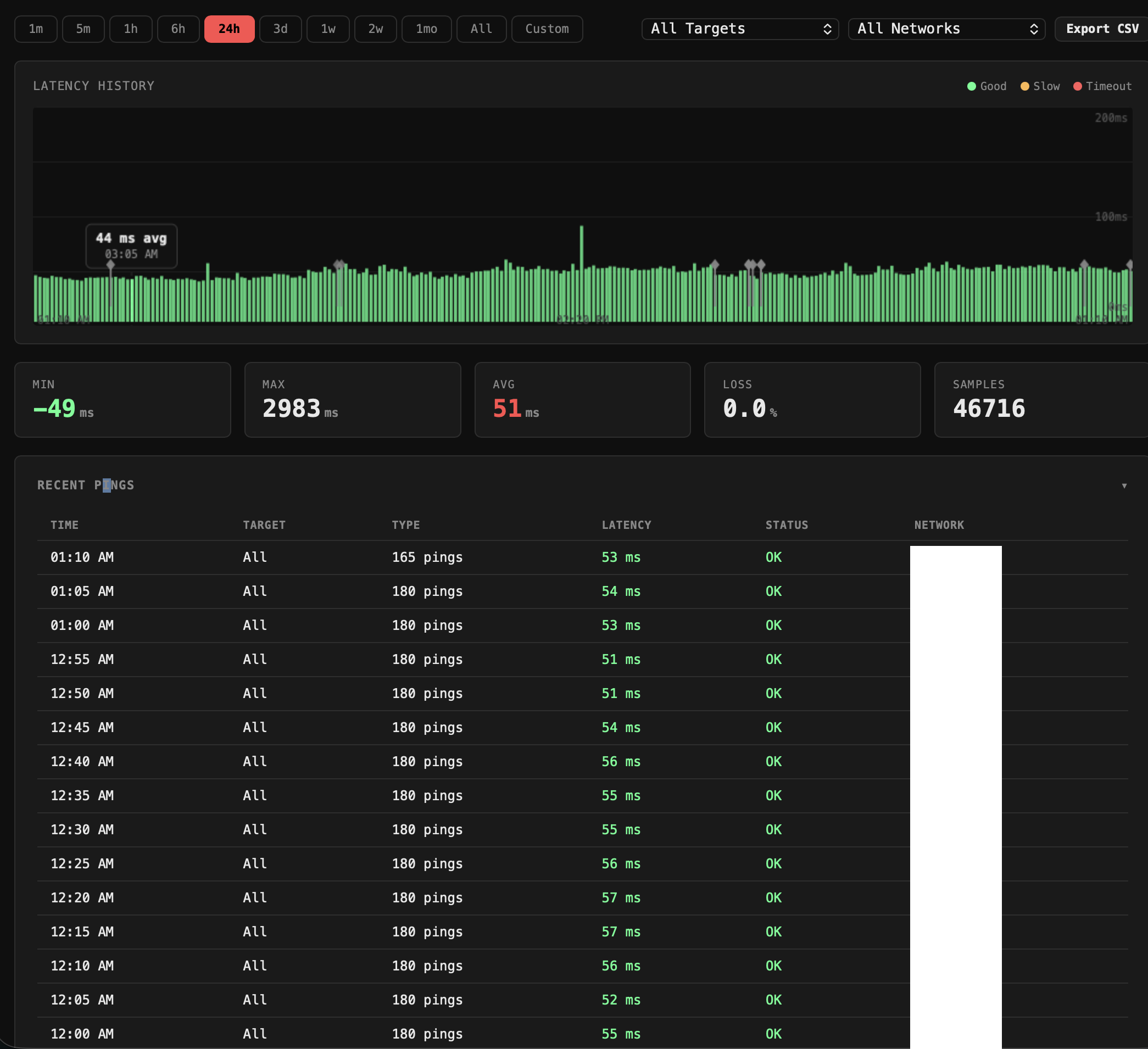
Here's the ping history:
Additionally, the tool tracks the history of all the pings and Speed Tests.
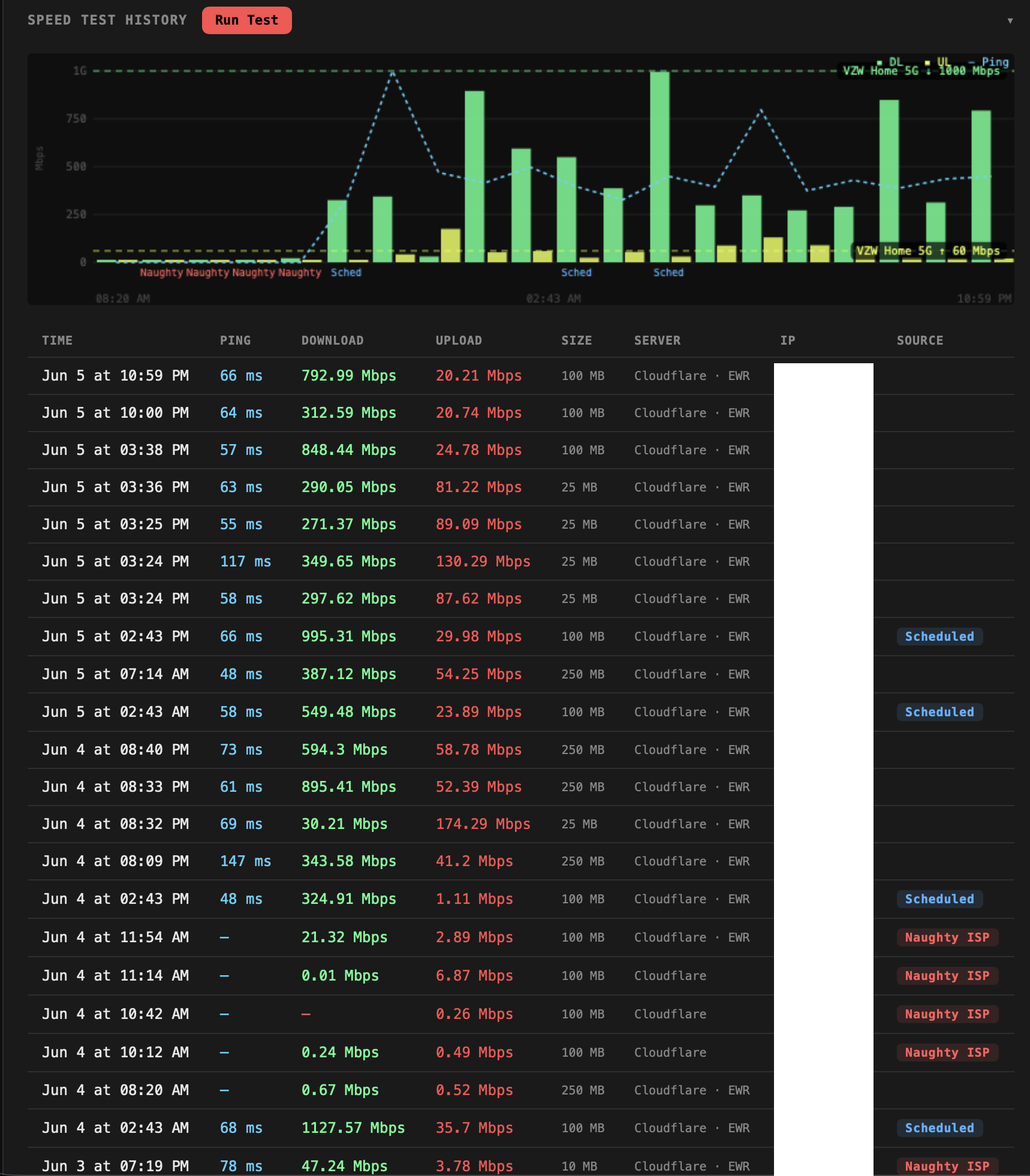
The Speed Tests will auto trigger tests either on a schedule and/or based on a failure trigger.
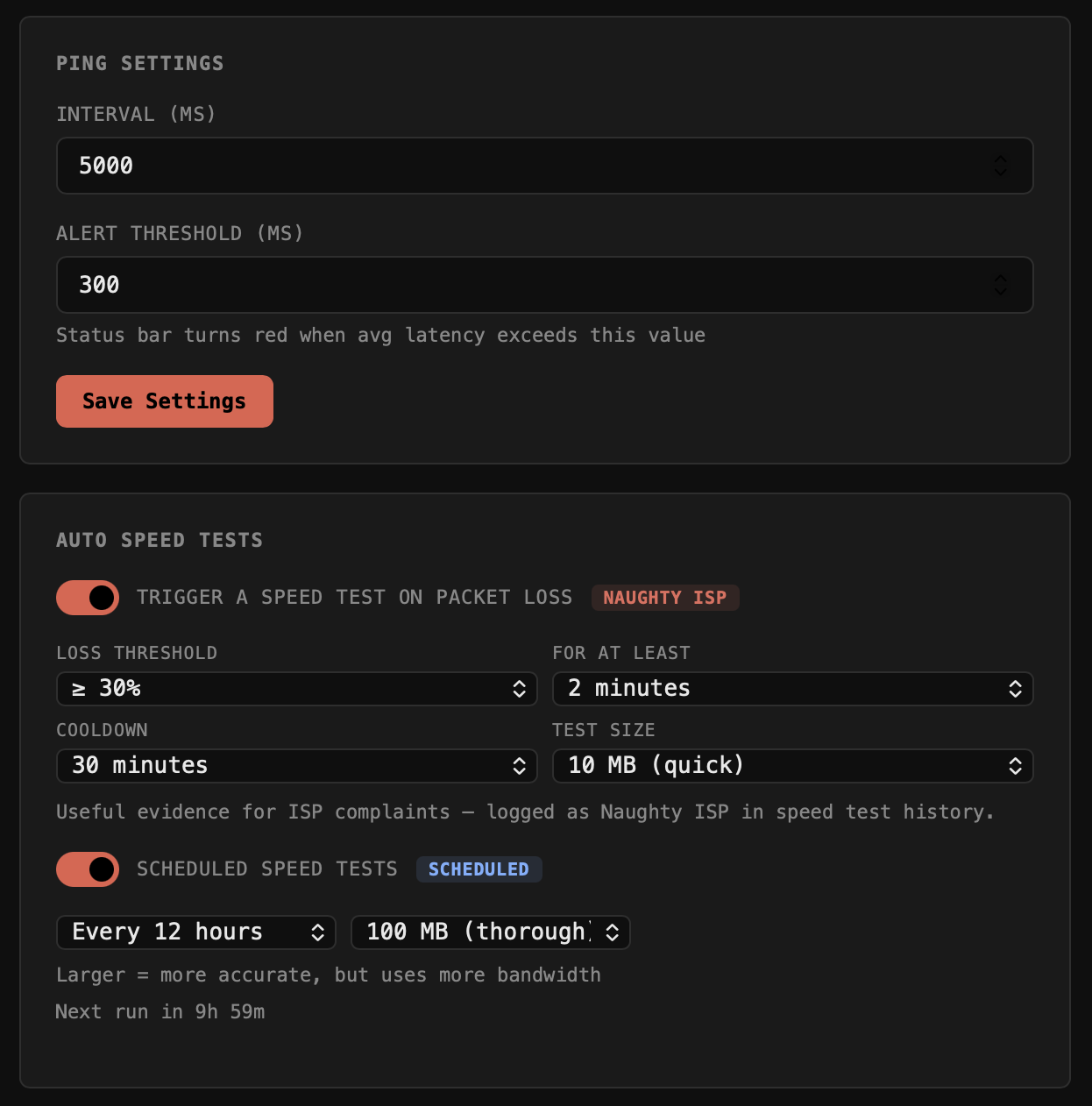
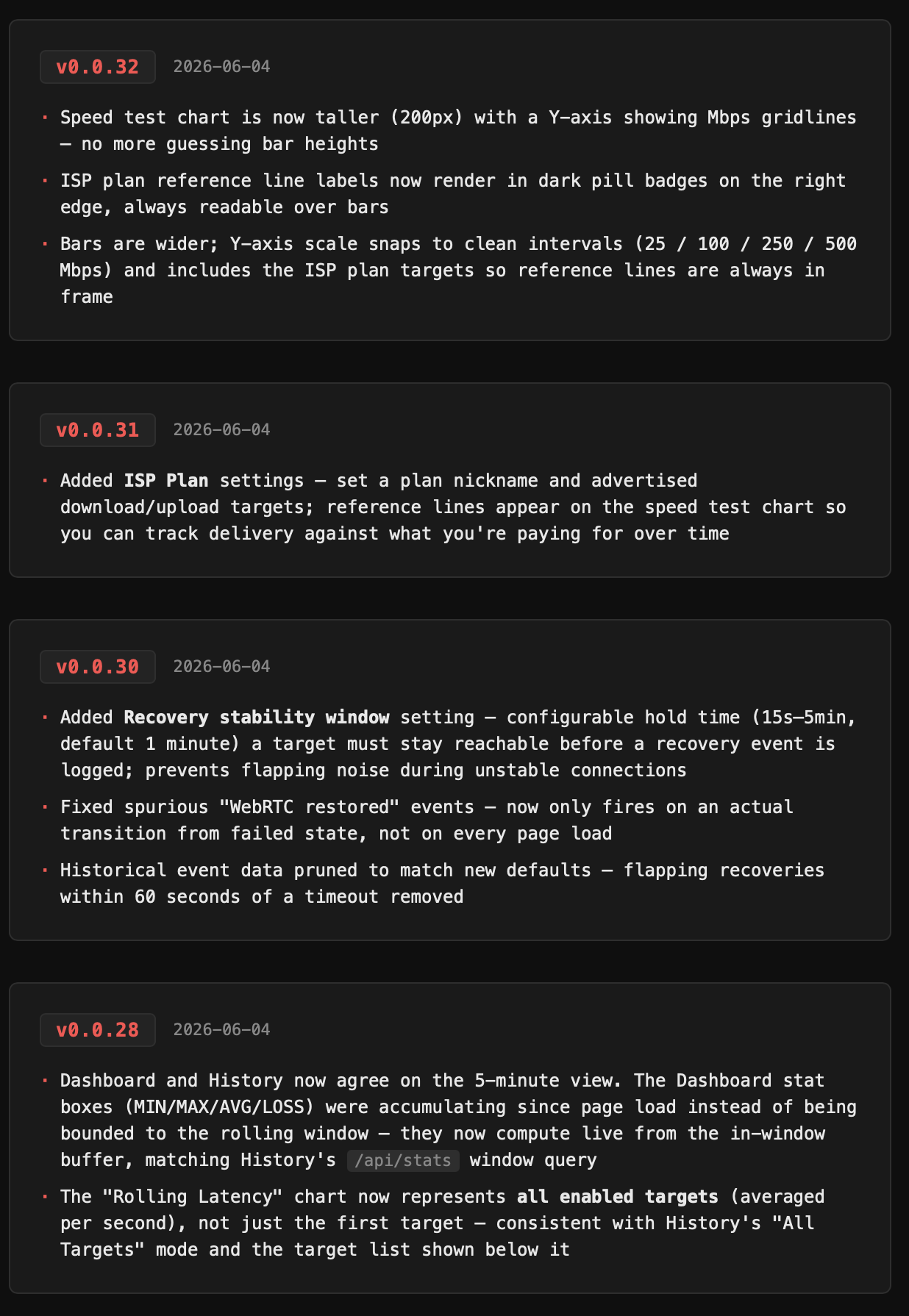
Per usual, I also have a changelog, as of this writing, it's at v0.0.32. That's a lot of effort for a tool to just keep tabs on a naughty ISP
Case Study : YT-DLP-IS-TOPS Streamin' Video Downloadin'
If you're like me, you've been using some version of youtube-dl for lat least a decade. You've also probably used it in bursts, for a specific project or thing, and then forgotten the structure, and then re-learned it. Over and over again! Youtube-dl eventually died and then rose from the ashes as yt-dlp. It's great!
You've also probably figured out a very specific use case that makes you a repeat customer. But typically it's that you need some clip that your client owns but lost and the best quality version that you can get immediately is on youtube (or vimeo).
Enter yt-dlp-is-tops, a UI for YT-DLP that allows you to do a lot of things, but doesn't have unnecessary bells and whistles. There are tons of tops (UIs) for yt-dlp, but I didn't like any of them hah.
I built this on and off over a few weeks with Claude.
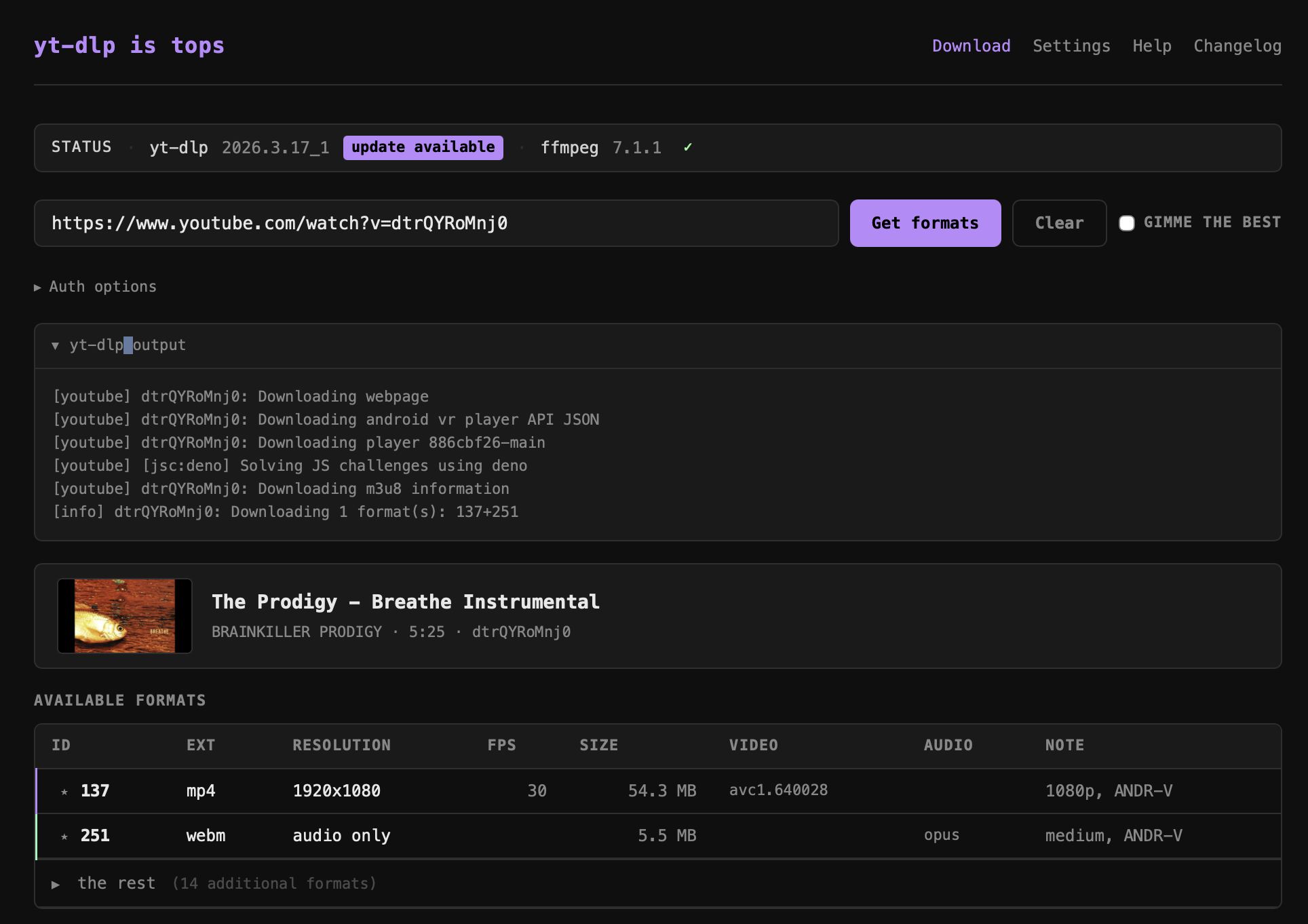
yt-dlp-is-tops is a lightweight local web app (Node.js + Express, no framework) that wraps yt-dlp and ffmpeg in a clean browser UI, replacing the usual copy-paste terminal workflow for downloading video.
Core workflow
- Paste any URL → the app fetches full video metadata and all available formats via
yt-dlp --dump-json - A format table shows every stream (ID, extension, resolution, FPS, filesize, video/audio codecs, note), sorted best-first
- Click a row to download it, or select a video row + an audio row to MUX them — yt-dlp downloads both and ffmpeg merges them losslessly into an mp4
Format & metadata display
- Video metadata block: title, uploader, duration, video ID, thumbnail
- "Gimme the best" checkbox auto-selects the top video + audio streams
- Best formats are auto-highlighted in the table
- Format IDs are shown and usable directly
Download experience
- Live streaming progress bar (parses
[download] X%lines in real time) - Collapsible verbose log below the progress bar
- Show in Finder button after download completes
- Download history with persistence across sessions
Subtitle support
- Subtitle track selection with options to embed subs into the file or download them as a separate file
Auth support
- Options for password-protected videos (username/password)
Settings
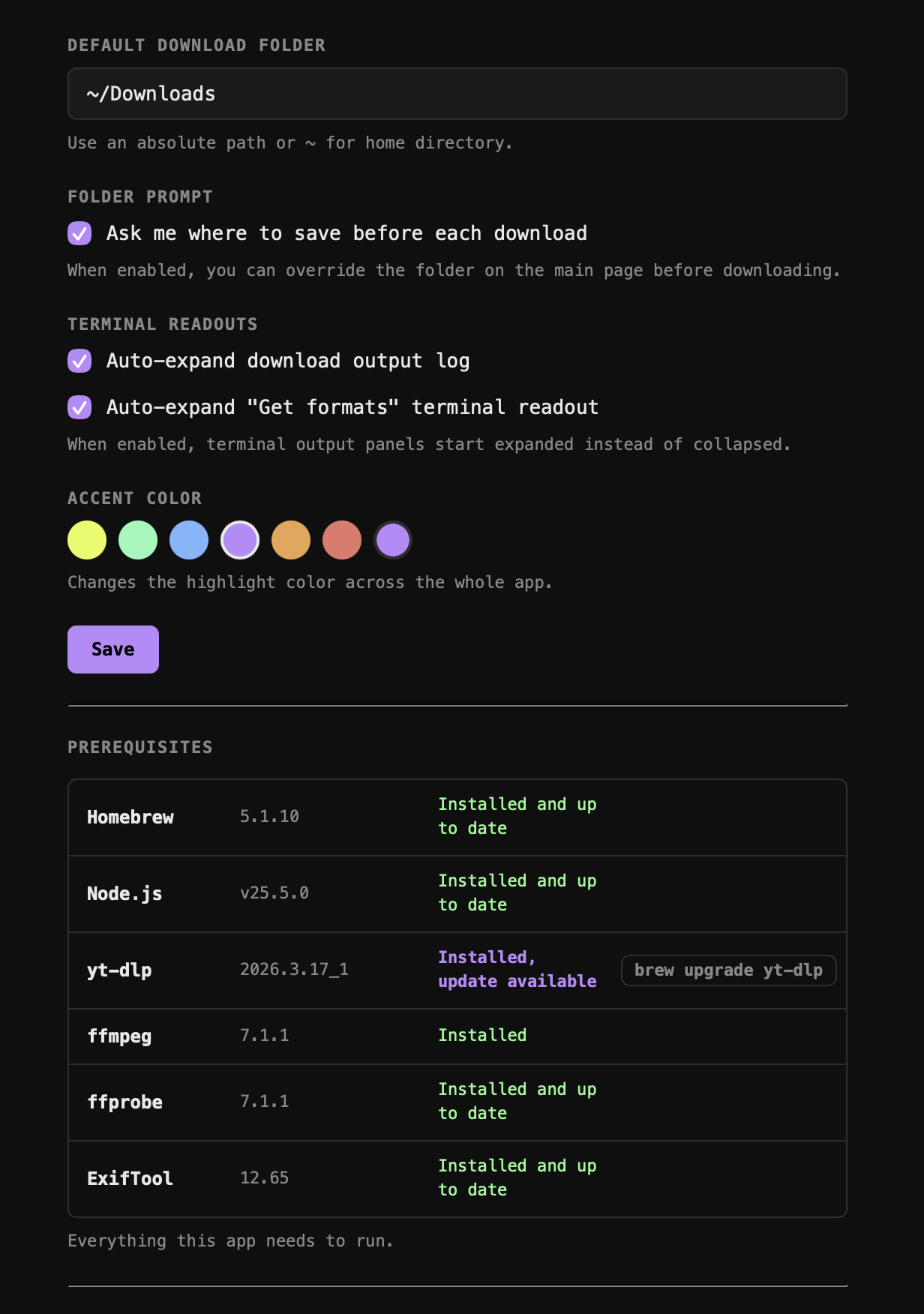
- Configurable default download folder or "ask every time" mode
- Accent color theme (CSS variable, applied globally via
theme.js)
Status bar
- Shows yt-dlp and ffmpeg versions + whether Homebrew updates are available for each
- One-click upgrade for yt-dlp via the UI
Check out those pre-requisites!!! Awesome.
Casestudy : Up-Scaling, Retouching, & Colorizing from a Bad Source
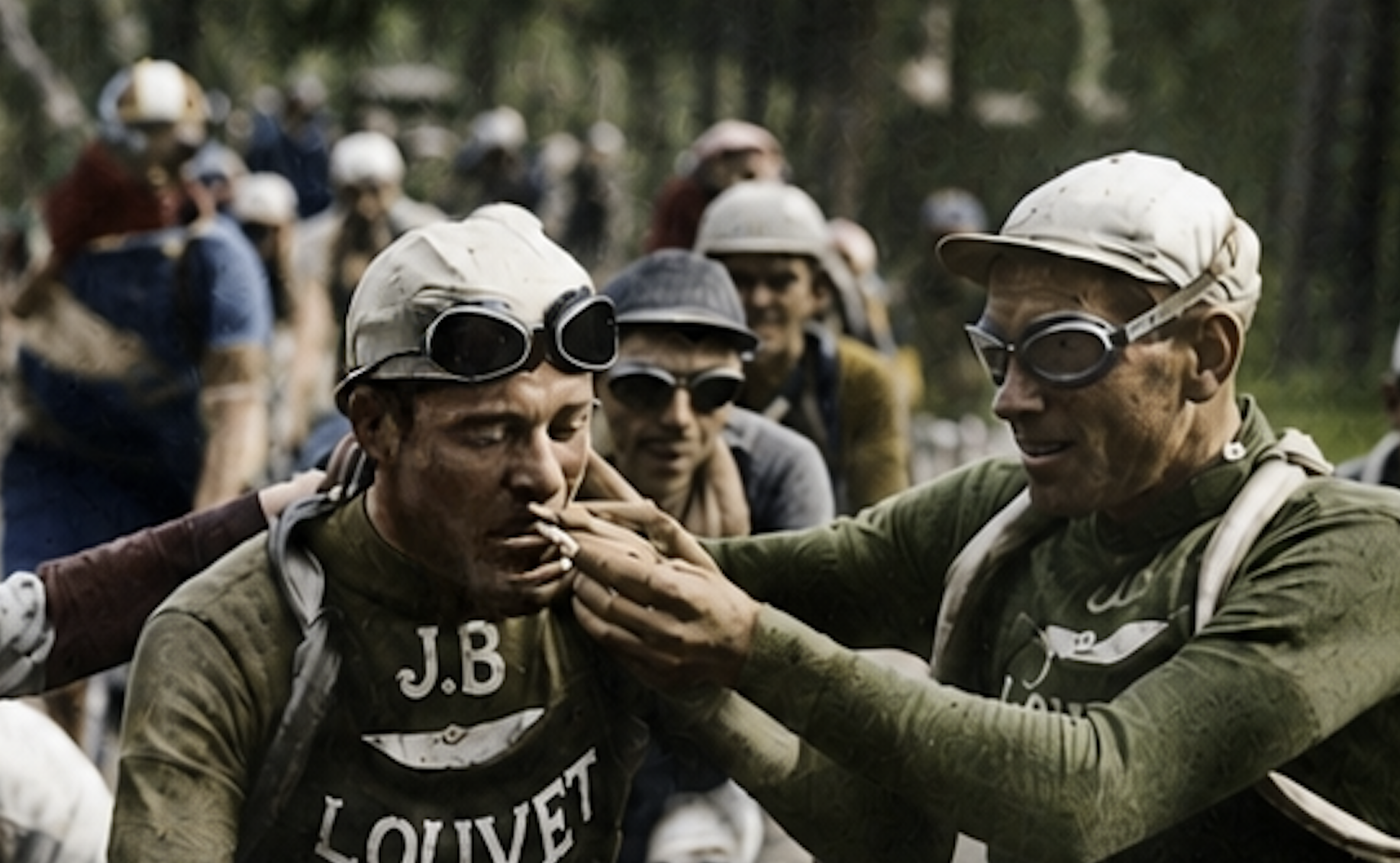
I wanted a high resolution version of this image and I wanted it to not look cursed or fucked.
This whole process took 6 hours and was hundreds of manual, human steps. I only did a good job because I know the tools. People think - "these tools are shortcuts and they take the artistry out." Trust: it's still a lot of work, and it's very fun and rewarding if you're a fucking dork.
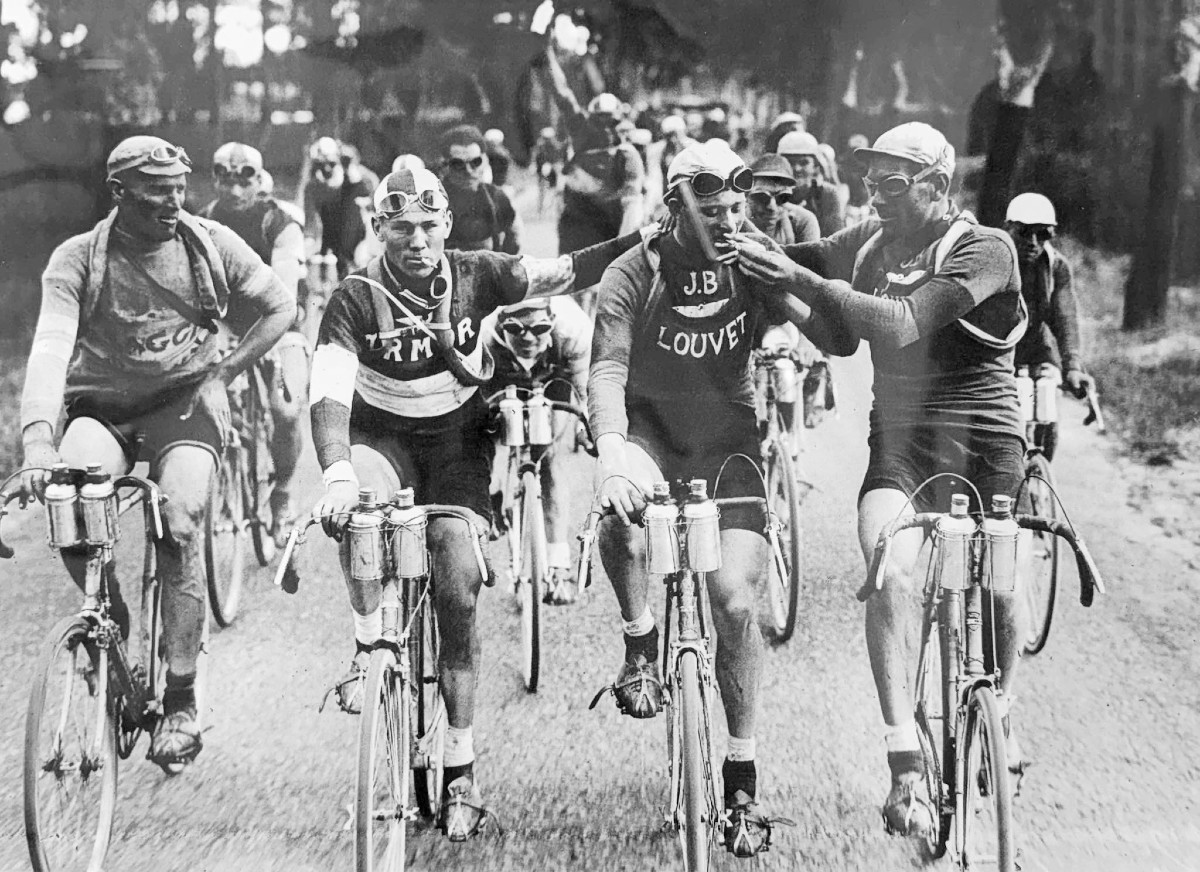
Here are the details of the source image so I'd have something to go on.
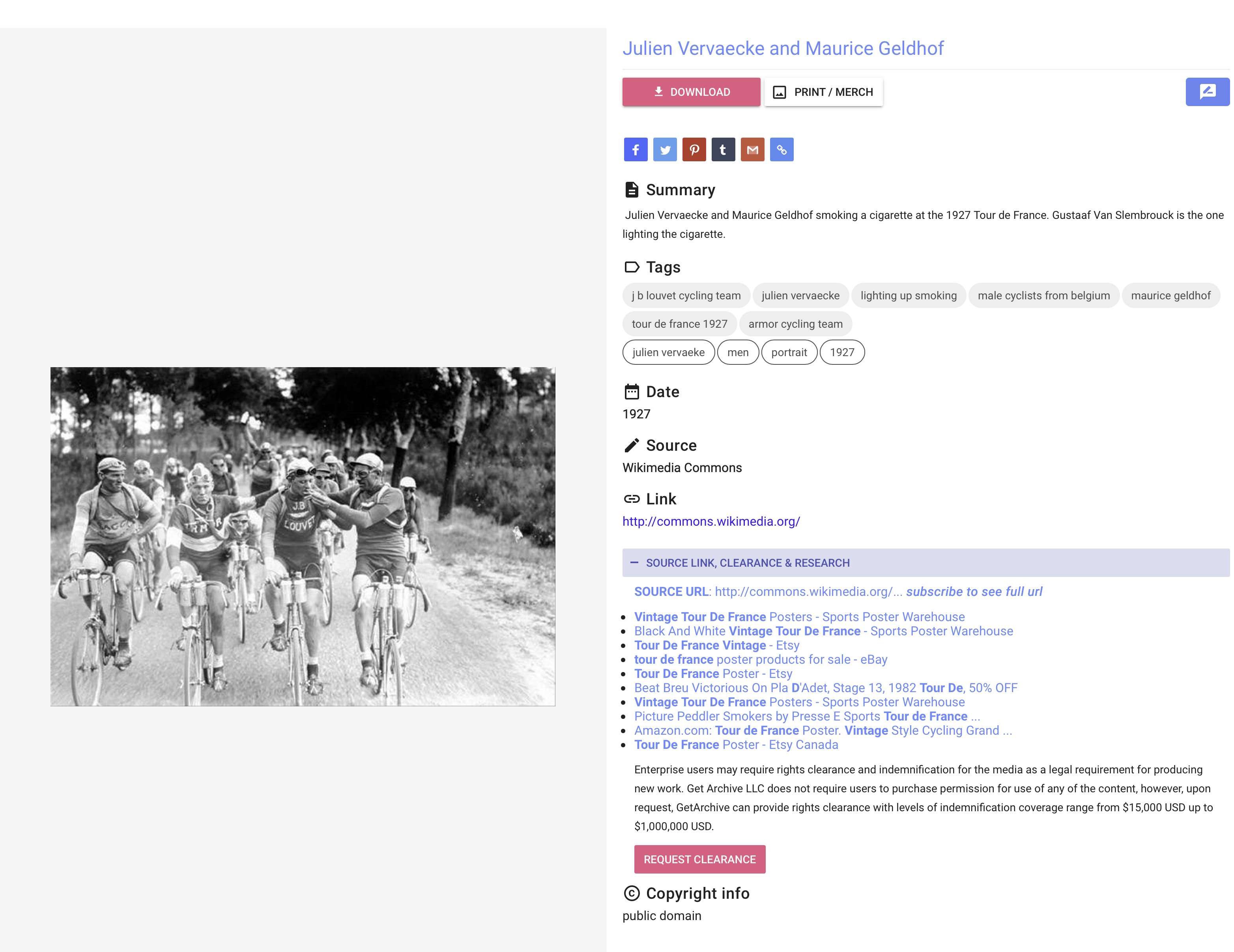
First, I researched some newer colorization tools. I tried ones I've used before and new ones, too. They all kinda sucked.
![tour-de-france-1927_m8Q19__please_credit[palette.fm].jpg](https://tech-almanac.org/uploads/images/gallery/2026-06/tour-de-france-1927-m8q19-please-creditpalette-fm.jpg)
GPT did a decent job, but couldn't handle the fidelity / quality issues.

My attempt to improve this manually was good, but not great.
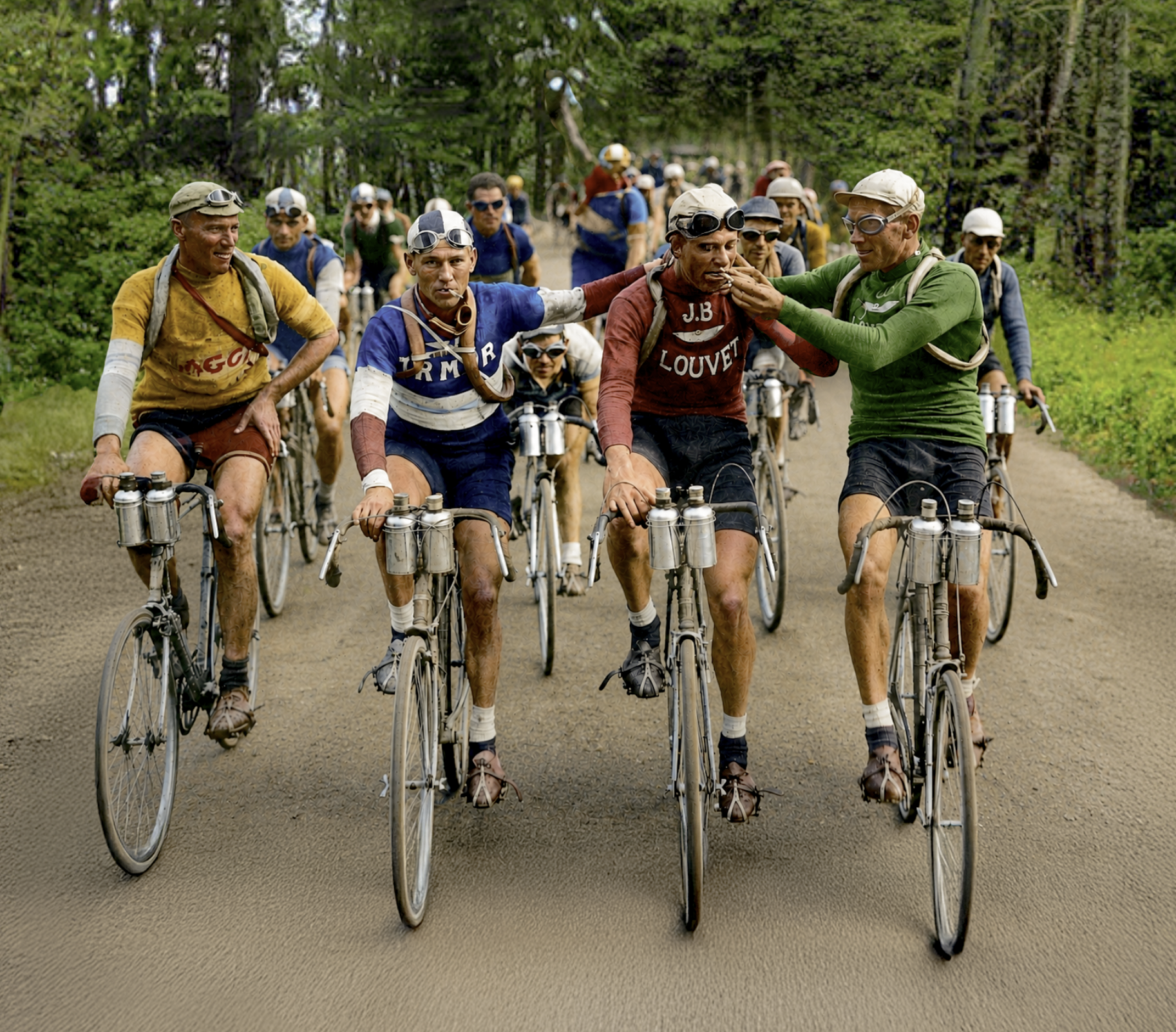
If you look carefully here, these dudes look like melting hunchbacks of Notre-Dame and their outfits have "complicated shirt" texturing. Yuck! Truly garbage-in / garbage out.