General Camera Survey
A collection and general overview of cameras of various types as they apply to our industry
- Overview
- Questions to Consider
- Basic RGB Webcam
- Other RGB Cameras
- Smartphone Cameras
- Infrared Cameras
- Depth Cameras
- LiDAR Scanners
- Thermal Cameras
- High End Machine Vision Cameras
- Multi-camera and On-board compute systems
- Motion Capture Systems
- Volumetric Capture
- 360 Cameras
- Other cameras and systems
- Legacy Cameras and Technologies
- High Speed or Slow Motion cameras
- Experimental Technologies
Overview
Preface:
I [Blair Neal] published this guide/survey in 2013 on Creative Applications and moved it to Github in 2016. I don't think the Kinect 2 was even out at the time of the original, and many other cameras have since come and gone. Camera technologies have obviously changed a lot in the 7 years since I published, so it is certainly time for a major update. The 2013 version is being kept in the repository for historical reference.
Introduction
Cameras are one of the most commonly used sensors for interactive installations. They are useful for a wide range of interactions - motion detection, motion visualization, image detection, video and still recording, and more advanced feature and object detection, just to name a few possible applications. Essentially every creative technology coding framework has the ability to take in a basic camera feed and many beginner examples use a laptop's build-in webcams as their input source. The camera's traits of accessibility, portability, and ubiquity make them an ideal sensor for both early prototypes and advanced applications.
- Part 0 - Questions to consider when choosing a camera
- Part 1 - The Basics
- The Basic RGB Webcam
- Other RGB Cameras
- Infrared Cameras
- Depth Cameras
- LIDAR
- Part 2 - The Exotic
- Thermal Cameras
- High-end Machine Vision Cameras
- Multi-camera and on-board compute systems
- High-speed or Slow Motion Cameras
- Wireless Cameras
- Motion Capture systems
- Volumetric Capture
- 360 Cameras and Filming
- Other Cameras and Systems (Robotic/Moving, and other "observational tracking devices")
- Older Camera/Video Technologies (Analog, Old RCA Cams)
- Experimental Technologies
- Part 3 - Supplemental Information
- Camera interfaces (USB 2 and 3, HDMI, NDI, IP, GigE, etc)
- Outdoor considerations
- Notes on Lenses
- Notes on Latency
- Notes on image touch-up and noise reduction
- Brief software discussions
- Other References and Acknowledgments
Questions to Consider
Basic RGB Webcam
The Basic Webcam
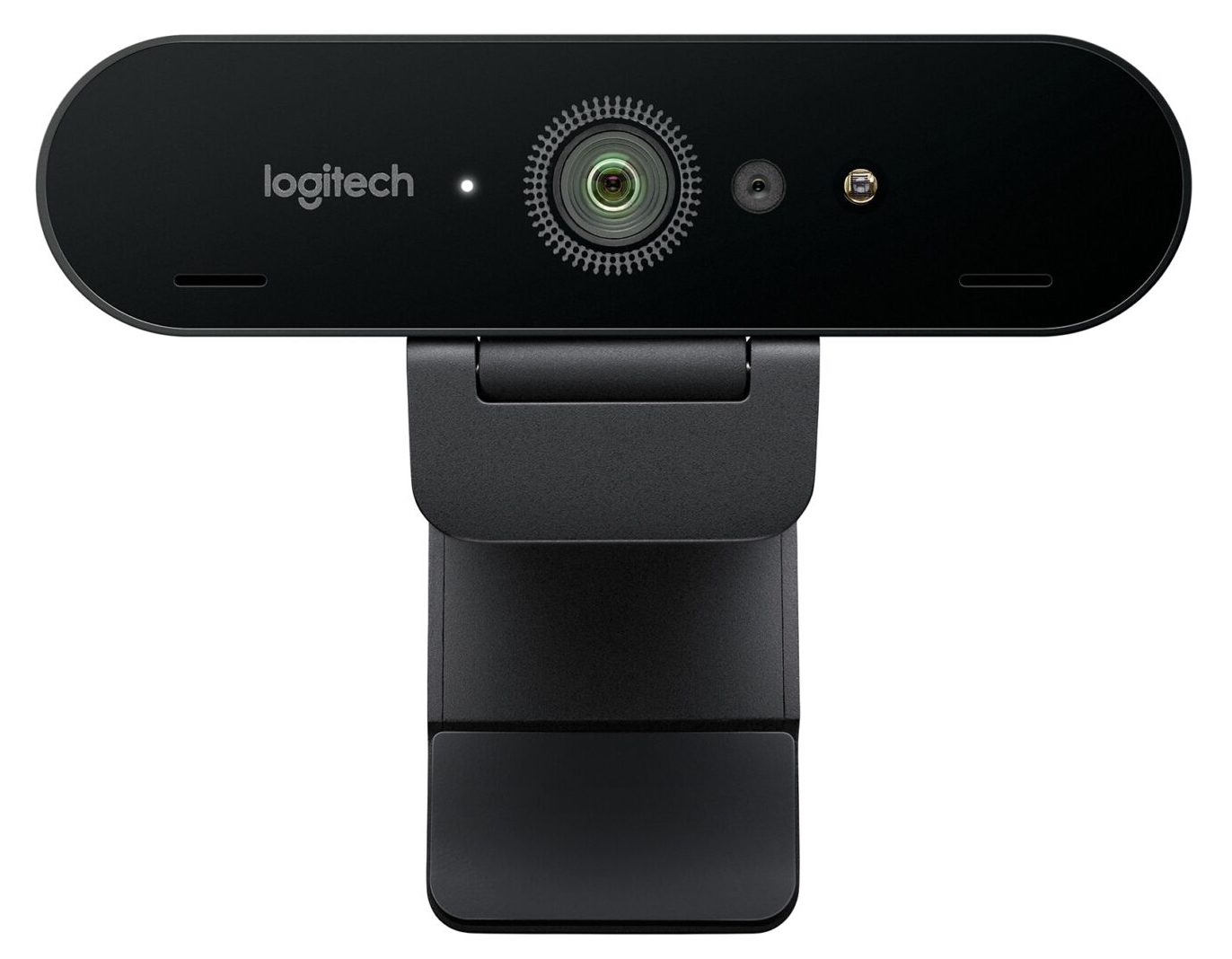
Webcam Pros:
- Cheap! - the best widely available ones I've seen are around 80USD to 200USD, but you can get them for as low as 10USD at this point
- Easy to find
- Reliable - they can usually be left on for long periods of time with minimal issues with heat and other issues (not always though!)
- Full color image - they can see just about everything you can. Some can see some IR wavelengths. Rarely will you actually need the color image since most commonly used CV algorithms at the moment use monochrome images.
- Widely supported by just about any software environment, and well understood.
- They can see projection and content on screens. Essentially they see a less dynamic/contrasty version of what you see with your own eyes.
Webcam Watchouts:
- Many brands will have poor quality imagery compared to what people may be used to with their smartphones, especially in low light. These are generally not to be used for broadcast quality imagery.
- Latency can sometimes be an issue with these. Not too much, but enough to feel just a little bit behind real life.
- Excessive image noise can severely impact tracking algorithms, especially in low light.
- Rarely do you get the option to manually change the settings of the camera itself from within your software without a little bit of specialized code or access.
- They typically have a fixed lens (no zooming or manual focus), but manual ones do exist
- They can see projection and content on screens.
- Sensitive to changes in daylight/natural light
- Requires fairly sophisticated computer vision algorithms to extract really meaningful information from these cameras - no skeleton tracking or easy depth information
- USB cable lengths can be limiting if you need to be extremely far away from your processing computer. Plan for extenders/repeaters if going much over 30ft (10m) away
- Some cameras have weird methods of autofocus that can really screw up your imagery. I've used a few that were nice quality cameras, but the slow hunting autofocus made them a deal breaker.
- Try leaving your camera on for an extended period of time. I've seen issues with inexplicable strange coloring, and just non-responsiveness after being left on for a long time with certain brands.
Range of effectiveness:
Optimal environment for repeatability/reliability:
Troublesome environments:
Webcam Further reading (some of these links are for older systems):
Other RGB Cameras
Webcams can only go so far in terms of quality and other features, so in this section we'll cover other types of RGB cameras. Choosing something in this realm usually means you need something with higher image quality, or lower latency, or higher resolution, or some other custom need. To put a finer point on it, I'm bucketing these types of cameras into this section:
- DSLR Cameras
- Mirrorless Cameras
- High and low end video cameras used for professional filming applications (ie camcorders, etc)
- Other basic cameras that can output over HDMI (action cameras like GoPro will be covered elsewhere)
Besides the increased price, the primary barrier to entry with these cameras is that they aren't as easy to plug in via USB and start working directly with the image, as with UVC webcams. Many cameras in this space either need a special driver or SDK that must be integrated into your software project. Cameras that don't have that option will typically output over some form of standard video cable like HDMI or SDI. HDMI and SDI can then be captured by specialized capture devices that can either be a specialized PCI capture card installed in a desktop, or they can connect over USB.
One of the most common ones types for interactive installations is the DSLR, usually chosen for its improved image quality over a standard webcam. DSLR's have become much easier to integrate over the last few years, but they still have some challenges depending on the particular model - those issues tend to be around connectivity and 24/7 reliability.
As for connectivity and control, many DSLR's have USB connections that allow for direct control via various methods. Most cameras require interfacing via their own custom SDK. For example, Canon has its own EDSDK that has been integrated into a few creative code environments in the past. Nikon and other manufacturers also have their own SDK's, but it may take some significant research on the best ways to integrate them into your software environment of choice. On top of capturing the image, many SDK's also allow you the ability to control the DSLR's settings via software. Direct control of exposure, white balance and other elements can be super important, depending on your application.
If USB isn't a suitable solution for capturing the image, or you don't need to have manual control over the camera's settings, the next option is usually to connect HDMI cables (usually micro or mini HDMI) to the cameras and then connect an HDMI capture device to your computer. Capture devices are covered in their own section later on, but I'll mention them briefly here. Typically a capture device connects to a computer over USB or some other high speed connection, or as a PCI capture card. They can range in price from $20USD to thousands of dollars depending on your need.
DSLR's are great for their image quality, but they were designed to be carried around and used intermittently. As such, they can occaisonally have heat or auto-shutoff issues when left on for extended periods. There are more cameras out there that have less issues with this these days, but 24/7 reliability is not an often published specification.
(Move this to the capture device section?) Other high end cameras also enjoy the benefits of working with cables that were designed with long cable runs in mind. Webcams over really long (10m/30ft+) USB cables can cause jitter or some other funky consistency issues, so again...test before installing whenever possible. Production quality cameras can work over HD-SDI for fairly long runs (around 200-500ft depending on who you ask), but for the really far stuff, you're best either going over a network if you don't mind latency, or going over fiber with a converter box. Fiber will get you considerably further, more than 2500ft if you need it. You'll also need a capture card for some of these, occasionally requiring a tower instead of a laptop. Adding length in almost any case is going to add to the potential for problems, so if it is something going over 200 or more feet, try to check your whole chain first.
You're sometimes limited by the capture device and its support on your intended system. Some capture devices need special drivers or other magical mysticism to work within your intended environment, so be warned before going down this path...save your receipts.
Further Reading:
Frieder Weiss's writeup on using digital versus analog cameras and the latency issues involved - 2008)
Smartphone Cameras
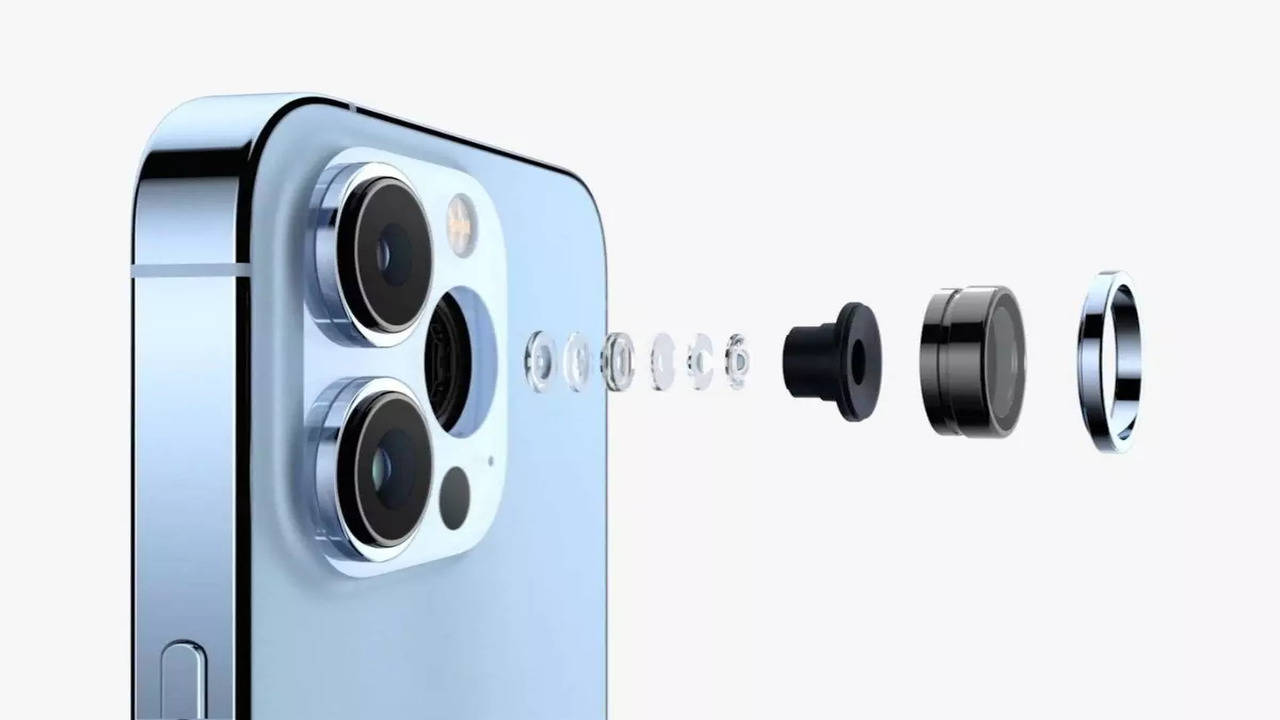
I struggled with whether I should make smartphone cameras be their own section, or include them in the "Webcam" or "Other RGB camera" section. I think that the smartphone camera market varies so much from brand to brand that it's hard to generally cover. Additionally, each smartphone manufacturer has so much advanced image processing going on under the hood that it's almost more about the image processing than the light capture itself (one could argue that on-board image processing is also a major differentiator in the previous section as well).
On top of the above, another reason I hesitated to include this section is that - for a long time I would say that smartphone cameras were not the first device you would reach for for interactive installations. The most common application of a smartphone camera prior to 2016 would have been for tablet based photobooths and similar kinds of capture "stations", but not always as a source for other more involved experiences that integrate with technologies outside of the smart device itself.
One of the main reasons to include smartphone cameras as a common type now is primarily because of the massive improvements in Augmented Reality (AR) technology in the last few years. AR has a long way to go, but there are so many more AR based experiences that either loan out a device or ask a user to run an experience on their own personal device.
Infrared Cameras
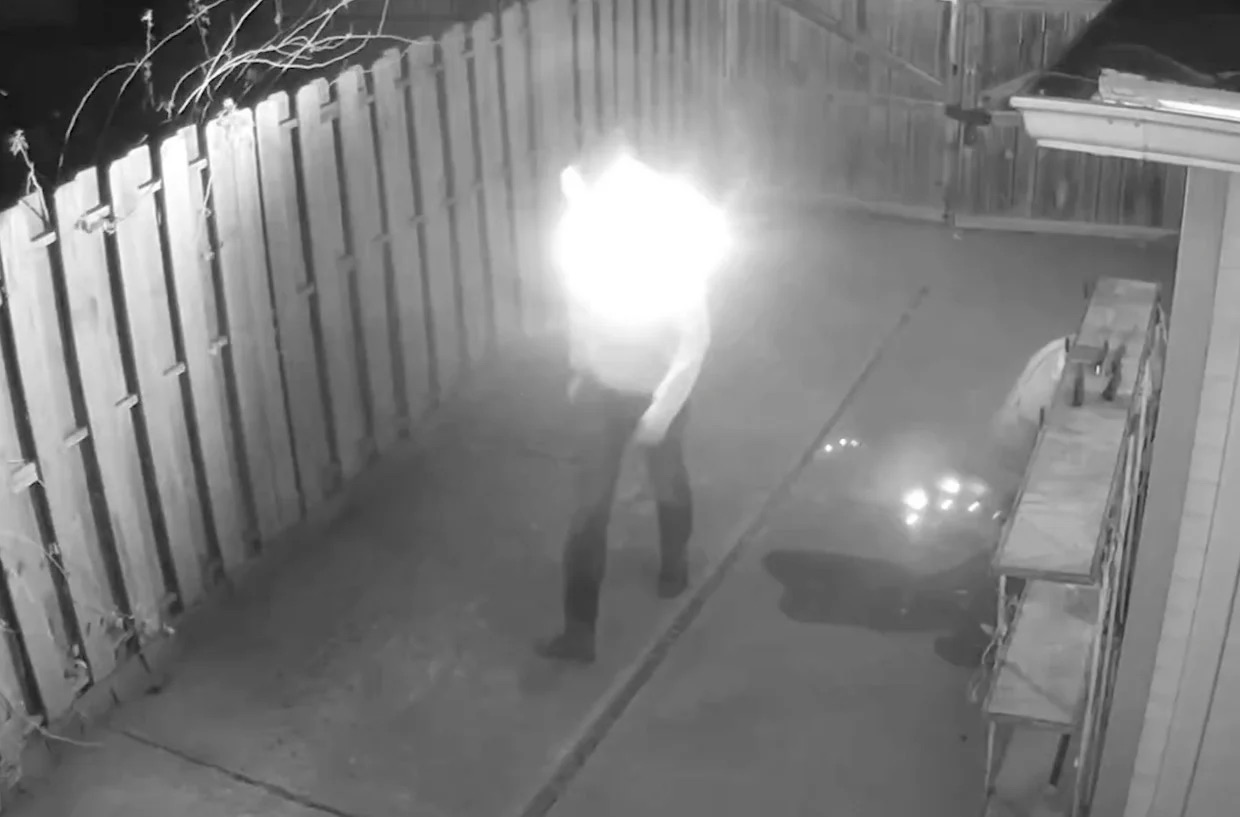
- They cannot see images that are projected or on a screen (some can see content on screens...depends on screen type). IR and projection are a really nice interactive match, but you tend to need a dark space to pull these off. Are you also tired of being relegated to a dark windowless room with these tools?
- Can be used in dark spaces when used with IR emitters.
- Since they can see what the human eye can't, they are most useful for hiding certain elements like lights used for tracking points or illuminating a space.
- Tracking a point of IR light is an incredibly effective and robust tracking method because you can have a bright point of light that is invisible to the human eye.
- Good for tracking a large area like a stage flooded with IR.
- Monochrome
- They require a healthy source of infrared light. Don't assume the lights inside will provide the type of light these cameras need to see effectively. You may need IR emitters to properly illuminate the space. People wont be able to see the extra light, but the camera will.
- Sensitive to sunlight and certain stage lights. Some stage lights will be bright enough to throw off tracking on an IR camera because the range of the light and camera overlap enough. There may be problems that the camera can see that you might not have seen with your eyes, so it can be useful to know the complete light profile of a room or to just go there with a camera beforehand.
- Certain clothes and materials look different in IR than in visible light. Can have weird effects sometimes.
Depth Cameras
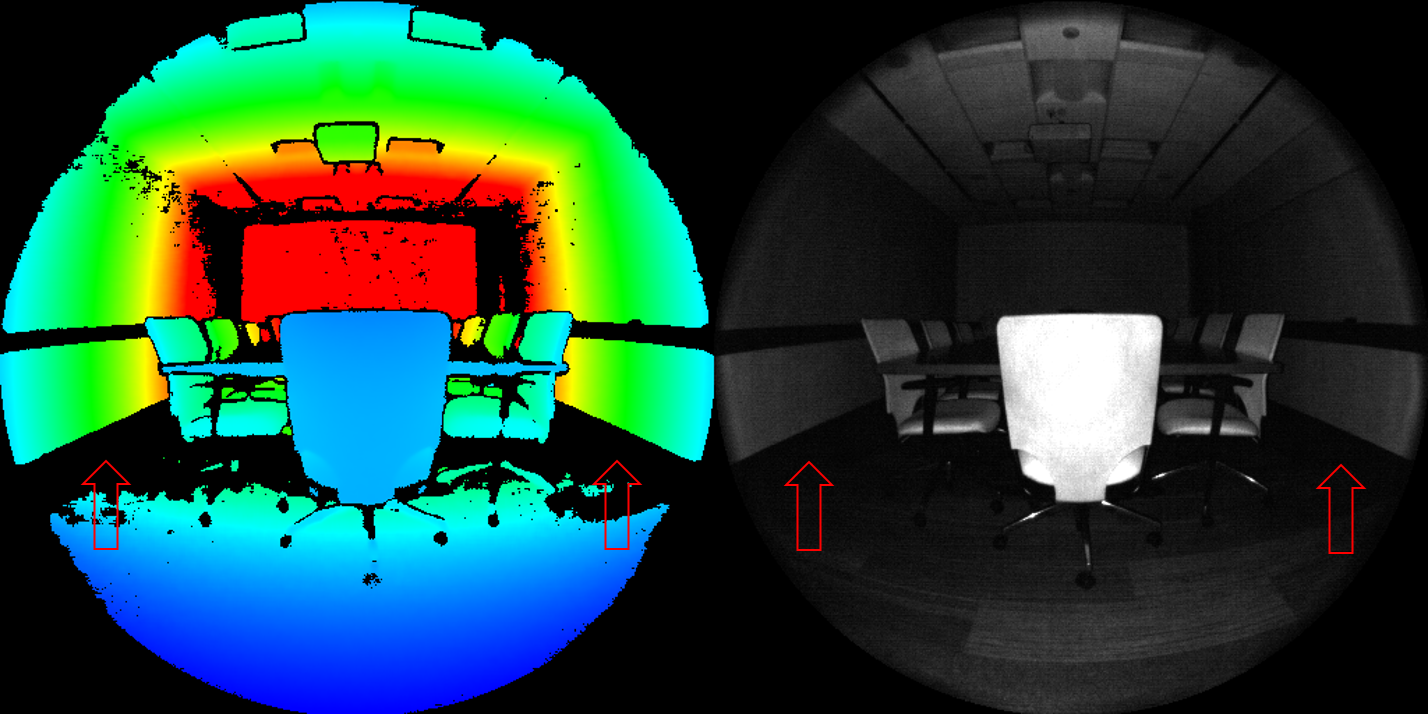
- Depth images give you the option of great background subtraction for tracking people and object because you can effectively ignore things after a certain depth range
- Machine Vision algorithms for depth images can easily give you additional information like hand skeleton, body skeleton, and shape normals. Some software sllows you to build up a reusable 3D Model of a space or object by moving the camera around it. You can also do decent body and facial motion capture for use in 3D rendering programs.
- Just like infrared cameras, Depth cameras aren't effected by light from projectors and screens if you're working with something where a tracking algorithm could get confused by the images that people are interacting with. This is a big reason why they are favorites for simple touch applications with screens.
- Compatibility/Interoperability: There are many, many camera options out there and many have different ways of actually communicating with your software. Some of the more popular options have well maintained libraries for many creative coding frameworks, but more specialized depth cameras may have you making your own bridges to work with them.
- Fixed lensing - pretty much all of these cameras, aside from the Azure Kinect, have fixed lenses which means you won't be able to change their field of view.
- Resolution and framerate limitations - this is greatly improved since a few years ago, but you often still aren't getting anything like a 4K60fps depth or RGB image.
- Due to the reliance on IR, these cameras will often be sensitive to changes in sunlight and only certain ones may be acceptable for 24/7 outdoor use (even behind a window).
- Subject outlines can be a bit rough depending on your camera, however they have improved dramatically in recent years and there are several algorithms for keeping a cleaner edge.
- Very close range applications may need additional testing, espeically if your subject is within a few inches or centimeters from the lens
- Certain surfaces will interfere with the ability to produce a good depth image. For many cameras, shiny surfaces be invisible or cause strange reflection artifacts in your image. Additionally, some fabrics have unusual behaviors in their absorbtion of light
- Using multiple systems together occasionally requires special consideration, particularly with structured light systems.
- Many cameras have limitations for how far they can generate depth images, and many common ones really only work out to about 10-15ft/3-5m. There are certainly exceptions, but be wary of looking at a manufacturer's specification for maximum depth range as they are often a bit oversold.
- [Intel Realsense](https://www.intelrealsense.com/compare-depth-cameras/)
- [Microsoft Azure Kinect](https://docs.microsoft.com/en-us/azure/Kinect-dk/hardware-specification) - this is Microsoft's latest version of the Kinect from 2019. It has many improvements over the originals and is much more geared towards developers and integration instead of gaming and the Xbox. It features two different lens options for a wide field of view, and it can capture a 1024x1024 resolution depth image.
- Microsoft Kinect V2. You are no longer able to purchase these new, so I don't suggest them for long term installations. However, they do have a lot of software options out there from years ago and are great for quick demos.
- [2015 Academic paper comparing Depth Cameras](https://www.ocularrobotics.com/wp-content/uploads/2015/12/MMT2015\_MMT2015\_61.pdf)
- [Stimulant's Depth Camera Shootout from 2016](https://stimulant.com/depth-sensor-shootout-2/)
LiDAR Scanners
Example of what many LiDAR scanners look like
LIDAR is a specialized imaging technique that has some similarities to the depth cameras discussed previously. LIDAR stands for Light Detection and Ranging and it has many applications in various industries, but it has caught on as a technology for interactive installations in the last decade.
Suggested brands to investigate:
- FARO
- SICK
- Hokuyo
- Quanergy
- LIVOX
- Velodyne
- Ouster OS1 / OS0
- Intel L515
Thermal Cameras
http://en.wikipedia.org/wiki/Thermographic_camera
These cameras are comparatively rare to see in use in interactive installations because they are still prohibitively expensive compared to most other ones. They aren't totally unobtainable ( roughly 1000-20000USD) but that higher price tag makes them a little less desirable for early exploration on projects. It's a shame because these cameras offer a lot of abilities that just aren't possible with the other kinds of cameras.
There are various types of cameras to look at in this class, mostly pertaining to which part of the IR spectrum you're trying to see. You have the option of Long Wave IR, Mid Wave IR, and Short Wave IR. For thermal imaging, you'll mostly want to work with Long Wave IR, in the 7000-14000nm range.
I have not personally used one of these cameras yet, but they have some properties that would be really amazing in the tool belt of people making interactive installations.
Check out this guy doing some random demos with a thermal camera:
Connection types: Most are made to be integrated into existing systems and either have proprietary connections or just output composite video. Some cameras communicate X/Y position of blobs.
Resolution range: Some are very low resolution (the Thermitrack is 16 x 16px) and some are close to a VGA range, but don't expect to find HD thermal for cheap. You also get a variety of frame rates and contrast ranges.
Thermal Camera Pros:
- Normal visible light doesn't have much of an effect on a thermal camera.
- Good for tracking a large area like a stage.
- Gives you the ability to more definitely identify people because of their heat signature...whereas other objects and materials may not show up at all if they are warmer.
- Fairly robust for daytime to night time interaction because people will be the same temperature and appear in the proper dynamic range.
- Give you the ability to track invisible phenomena like hot air from breath, or residual heat from something like a hand leaving a warm mark on a surface, or a cold blast of water hitting a warm surface.
- Can see through certain materials and walls.
- Thermal cameras can see through certain kinds of clothing.
Thermal Camera Cons:
- As these are occasionally considered military grade equipment, there may be export restrictions, so be wary when planning on traveling abroad.
- Expensive
- Difficult to integrate - require either custom electronics or capture hardware
- Thermal cameras can see through certain kinds of clothing.
- Not all lights are invisible to thermal cameras...if it's producing heat or radiating it, the camera will see it.
- Thermal imaging sometimes results in ghosting of movement due to the sensor method.
- They are unable to see through windows/glass because the range of radiation ends up being reflected before it transmits through the glass to the camera. See here for a more involved explanation of why.
- Certain hot materials may result in unforeseen difficulties with using thermal imaging in certain environments. Requires a different type of thinking in order to anticipate things that will be overly hot or cold in the space of the installation.
Further reading:
High End Machine Vision Cameras
[NEED IMAGE]
These cameras are typically employed in industries like manufacturing that require a high degree of stability and performance for performing computer vision tasks.
One example would be the use of cameras and specialized software to monitor a fast moving automated assembly line and using the visual data to ensure every product looks correct. They can also be employed for things like processing produce - sorting ripe tomatoes from green tomatoes at very high speeds.
This area of cameras is incredibly complex and we won't go into all of the specifics here, but you should definitely be aware that these specialized systems exist. The most common ones you will probably come across have already been mentioned, like machine vision infrared or thermal cameras. most of them range from having standard interfaces like USB and GigE, to proprietary cables and PCI cards for maximum data speed and low latency.
Camera resources:
Multi-camera and On-board compute systems
[WIP] Camera systems that may use multiple cameras or are cameras that are integrated with on-board computing power for computer vision.
Motion Capture Systems
These could have their own article and I have limited experience with them, but they are worth adding to the list for completeness. Motion capture systems are primarily used to capture the movements of performers that are then mapped to the skeletons of 3D models, essentiall puppeteering them. Motion capture systems can be camera-based or non-camera-based (like a suit covered in IMU's or inertial measurement units like the Xsens). We'll just cover the basic camera-based systems here.
[WIP]
Volumetric Capture
Volumetric capture is another specialized approach that is very similar to motion capture systems, and the two are often used in tandem, particularly for modern cinematic video game animations. In its simplest form, volumetric capture is really a hybrid image capture approach that uses a regular camera matched with a depth camera, often in large 360º arrays of both, that allows the creation of 3D content. The more general term for volumetric capture is photogrammetry. There are also systems that just use large arrays of regular cameras instead of matching them with depth cameras. "Portrait" mode on modern smartphones is also a form of volumetric capture that combines two photos from two different lenses.
Most of these professional systems require dozens of precisely cameras and an array of computers to ingest the massive amounts of data coming in. This data is then processed and turned into point clouds or meshes that can then be viewed in 3D rendering software or game engines. As of this writing, there are several systems and vendors out there that can achieve volumetric capture. Building a high quality full 360º system yourself would take considerable planning and budget.
Depthkit is probably the most well known and accessible system for doing volumetric filmmaking. Depthkit, at its most basic, involves mounting a DSLR and a depth sensing camera together and doing some pre-alignment steps with their software system. As you capture both depth and color information, software is able to combine those two feeds into 3D content. Depthkit can be used by a wider group of people due to the lower barrier of entry on equipment and setup. The main trade offs are that the most common setup usually involves a single camera which means you typically get a limited amount of 3D information from the front surface of whatever you're filming.
Larger "volcap" systems involve whole studios (although there are some systems that can be moved around). Microsoft's Mixed Reality Capture Studio is one example of the high end of these sorts of offerings. One version of their system uses 106 cameras to capture.
Mention Volucams (https://twitter.com/BenSchwartzXR/status/1311704650475884545)
Re-lighting, scene size limitations, complex scene limitations, movement limitations, bandwidth of final assets (mesh+color data per frame)
[WIP]
360 Cameras
WIP Placeholder for 360 cameras and their use cases
Other cameras and systems
Other cameras and systems (robotic/Moving and other observational tracking devices, Security Cameras)
Full Spectrum Cameras (for UV and Infrared)
Robotic Cameras and Point-Tilt-Zoom/PTZ Cameras
"Bullet time" camera arrays (big freeze, A-1 array, other vendors, etc)
David Rokeby's "Very nervous System" uses an array of light sensors to trigger effects
Legacy Cameras and Technologies
Older Camera/Video Technologies (Analog, Old RCA Cams)
The use cases for older camera technologies are much more rare and may only come up on certain productions that require the analog aesthetic in a way that can't be recreated with real time visual effects.
It would be a large research project to dive into all of the older technologies, but we'll just stick with some noteable ones.
Old consumer video cameras and security cameras are probably the most likely candidates for use. Their resolution is fairly low
The biggest advantage that analog cameras used to have over their digital counterparts is that their latency from lens to screen was much lower because there weren't added layers of digital to analog conversion.
High Speed or Slow Motion cameras
High-speed Cameras are a special class of cameras that can capture 250 frames per second or higher, even up to 250,000fps to several million fps in some cases. If the high-end machine vision cameras above are for real-time processing, I'm thinking of high-speed cameras more for offline recording and viewing - a slightly different workflow. High-speed cameras are fairly uncommon in interactive installations because the (current) limitations of physics mean you can't watch reality in real time and slow motion reality at the same time. Years ago, getting cameras that could capture higher than 60fps were fairly specialized and uncommon, especially for the consumer market. Now almost every flagship smartphone can record 120-240fps and sometimes even higher in burst modes. Some standard webcams can also get up to 120fps. The primary market for professional high speed cameras is for industrial purposes, like the high end machine vision cameras covered above, or for the film industry. Since these applications are fairly niche and low demand, these cameras tend to be incredibly expensive - ranging from around $500USD on the low end to $30,000USD to $50k+ on the high end.
High-speed cameras typically work by continuously recording a circular buffer of frames into specialized on-board memory. When the camera receives a trigger to begin recording, that circular buffer is dumped and encoded into a regular video file that can then be downloaded off the camera or played back directly on the device. Depending on the resolution, frame rate and compression type, these files can be quite large, and can take time to download off the camera to process with software.
Another noteable thing to know about high-speed cameras is their light requirements. Because of the incredibly fast shutter speed, High-speed cameras require a lot more light than a traditional video camera. A traditional camera may only need to capture a frame every 1/60th of a second, while a high speed camera needs to capture a frame every 1/1000th of a second, causing a drastic reduction in the amount of photons hitting the image sensor. Filming outside in direct sunlight is usually the best option, but if you need to capture indoors you will need to use the correct type of light. Incandescent lights, flourescent lights, and other older styles of lights tend to not work for high speed because they actually flicker at a rate faster than the naked eye can see (typically at the 60hz of a standard AC power source). Using an incandescent light source with a high speed camera will often reveal the light dimming and brightening instead of staying steady. For high speed cameras, very large lights that can't cool down quickly enough to flicker or LED light sources for film production tend to be preferred. As usual, do your research on the light since not everything is created equal. Here is another source on lighting for high-speed filming.
Since high-speed cameras are really just great at pushing a lot of data through very quickly, youll find your tradeoff is usually between the desired resolution and your desired framerate. You can achieve very high framerates but at very low resolutions. These low resolution + high FPS videos can be useful for scientific work (like analyzing ballistics, for example) but not so much for providing a high quality clip for a user.
Noteable high speed camera manufacturers are Phantom cameras from Vision Research, Photron cameras, and iX cameras, but their cameras can typically cost more than most interactive installation budgets can manage. Rental is often an option as well. The main issue you may run into with these cameras is actually interfacing with them. Because of their high cost and low usage in the interactive space, there often isnt a lot of prior knowledge out there about working with them and you need to have a camera before you can get documentation about their API's and such. Around 2014, Edgertronic entered the high-speed scene with their more affordable high-speed cameras. Edgertronic cameras are basically a specialized FPGA with a Linux computer for additional processing and control. I used several of these on an installation in 2014 for capturing footage of participants at 720p and 400fps and they performed fairly well and were easy to interface with via standard http requests and a browser interface. Several models have come out since then with various improvements. Most other cameras out there also interface via a network connection to some proprietary control software.