Basic RGB Webcam
The Basic Webcam
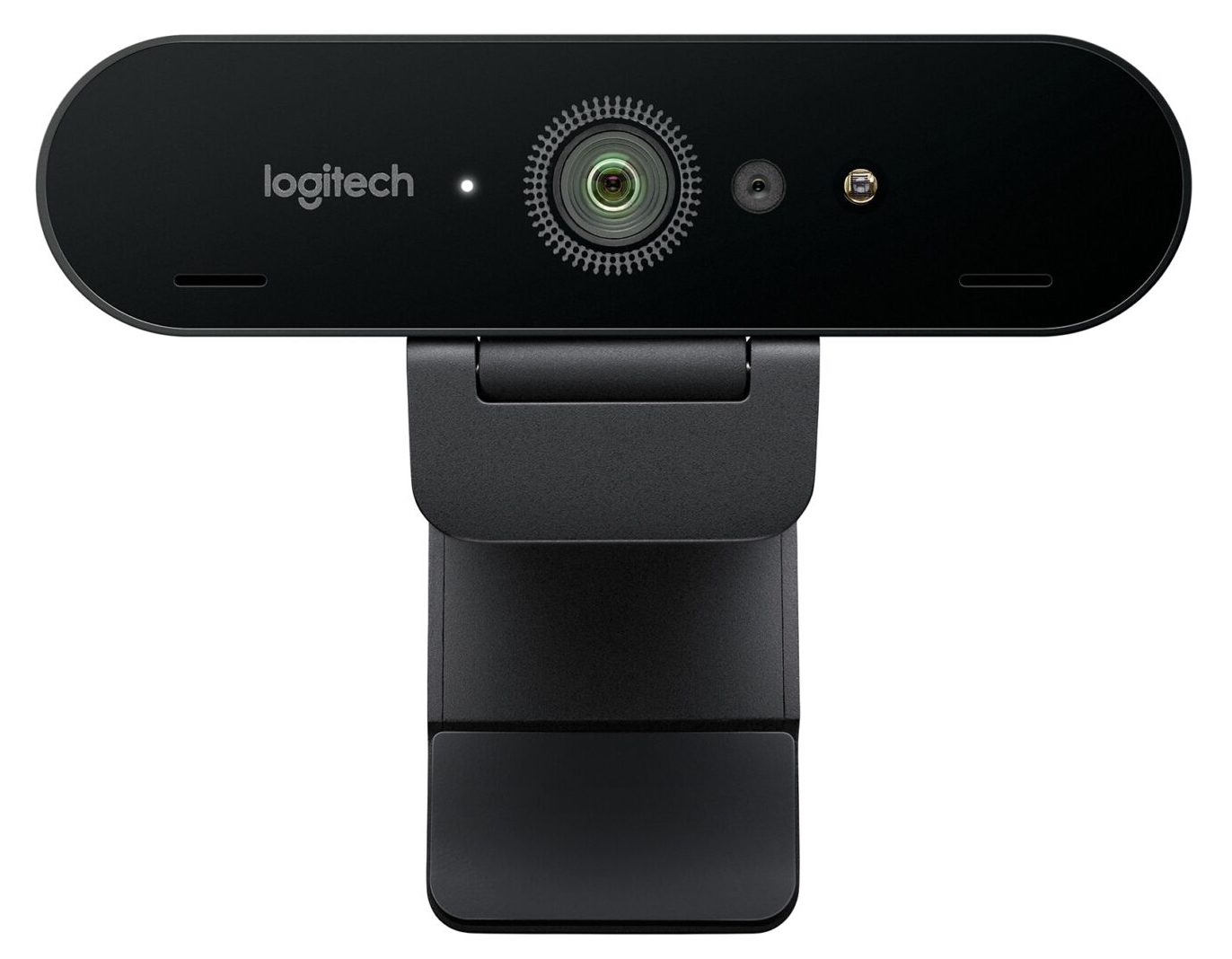
"Webcam" isn't necessarily an industry term, but if you're reading this, you generally know what we're talking about. Common webcams are those that are built into a laptop, or commercially available external devices connected via USB. Most software frameworks support these cameras through [UVC - USB video device class](https://en.wikipedia.org/wiki/USB\_video\_device\_class) - essentially a standard of communication. UVC can be thought of as being similar to how different keyboards and mice input devices are able to be universally recognized by most operating systems without needing to install specific drivers.
Webcams are great for basic applications and workspace testing, but aren't the gold standard for professional installations these days. Now that high quality cameras are built into almost every laptop, smartphone, and tablet, the market for standalone webcams has largely stagnated since the mid 2010's. There are only a handful of decent options in this space and there doesn't seem to be a lot of choice or competition that will shake up the market anytime soon.
A lot of the cameras out there are really made for livestreamers and boast features for things like built-in AI face detection for autofocus (something that you may or may not even be able to use in your software). At this point, the [Logitech Brio 4K](https://www.logitech.com/en-us/product/brio) is probably the best option, and even that camera came out in 2017. At a quick glance, Logitech is basically the only name brand in the game at this point, other than a random mix of lesser known manufacturers.
Connection types: USB 3.0 and USB-C are most of the common connection you'll see, but there are still some USB 2.0 connections out there.
Max resolution range (typical): 320x240px to 4K. This value ranges a lot, and it depends on your application. There are only a handful of 4K webcams out there, but there are a lot more 720p60fps cameras on the market these days due to the adoption of USB 3.0. If you're working with an older camera, USB 2.0 often does not have enough bandwidth to send 30fps worth of 1080p without some artifacts. Some web cameras are also guilty of doing some software compression of the image before sending it through the hardware connection, and this can add some image degradation.
Webcam Pros:
- Cheap! - the best widely available ones I've seen are around 80USD to 200USD, but you can get them for as low as 10USD at this point
- Easy to find
- Reliable - they can usually be left on for long periods of time with minimal issues with heat and other issues (not always though!)
- Full color image - they can see just about everything you can. Some can see some IR wavelengths. Rarely will you actually need the color image since most commonly used CV algorithms at the moment use monochrome images.
- Widely supported by just about any software environment, and well understood.
- They can see projection and content on screens. Essentially they see a less dynamic/contrasty version of what you see with your own eyes.
Webcam Watchouts:
- Many brands will have poor quality imagery compared to what people may be used to with their smartphones, especially in low light. These are generally not to be used for broadcast quality imagery.
- Latency can sometimes be an issue with these. Not too much, but enough to feel just a little bit behind real life.
- Excessive image noise can severely impact tracking algorithms, especially in low light.
- Rarely do you get the option to manually change the settings of the camera itself from within your software without a little bit of specialized code or access.
- They typically have a fixed lens (no zooming or manual focus), but manual ones do exist
- They can see projection and content on screens.
- Sensitive to changes in daylight/natural light
- Requires fairly sophisticated computer vision algorithms to extract really meaningful information from these cameras - no skeleton tracking or easy depth information
- USB cable lengths can be limiting if you need to be extremely far away from your processing computer. Plan for extenders/repeaters if going much over 30ft (10m) away
- Some cameras have weird methods of autofocus that can really screw up your imagery. I've used a few that were nice quality cameras, but the slow hunting autofocus made them a deal breaker.
- Try leaving your camera on for an extended period of time. I've seen issues with inexplicable strange coloring, and just non-responsiveness after being left on for a long time with certain brands.
Range of effectiveness:
Varies by placement, lens and application. You could watch an entire room of people, but with very little precision. Seems to work best in a range of about 1ft-50ft (.3-16m). If you're too far back, it can be difficult to get an accurate or meaningful reading because people's bodies will be too small to the sensor in relation to other image noise, unless you're on a solid background.
Optimal environment for repeatability/reliability:
If image quality isn't too important, you need a full color image (for tracking colors, or recording people for a video clip/photo)
Ideally a controlled room with good artificial lighting will ensure this camera will react the same at any hour of the day. Natural lighting can cause issues depending on the amount of windows and time of year.
Most simple tracking methods with this camera will work best when the subject is on a plain solid background so it is easy for your software to pick out a person from other objects in the space. Background subtraction is suggested in a case like this.
Troublesome environments:
An environment with a lot of changing daylight or natural light can really impact this camera's ability to reliably and predictably track at all hours throughout the year.
Very little to light, rapidly changing or flashing lights, or subjects coming close and far can sometimes cause issues with their automatic adjustment algorithms.
Webcam Further reading (some of these links are for older systems):
Check out the differences between a UVC cam and a non UVC cam to get an idea about if you'll be able to manually control the camera from within your software.
Check out UVC camera control for macOS [here](http://phoboslab.org/log/2009/07/uvc-camera-control-for-mac-os-x)
[Focal Length Calculator](http://www.videologyinc.com/lens%20focal%20length%20calculator.htm)
[Spreadsheet of different webcams and their capabilities for manual control on macOS](http://mactaris.blogspot.nl/p/webcam-settings-camera-support.html)
[Vidvox](https://vidvox.net/rays\_oddsnends/VVUVCKit\_doc/) has a UVCKit app/framework that may allow you to control various settings of your MacOS cam via UVC