Formatting, Tone, and Style
Before you start contributing to this website, please take a look at our policies on fair-use, copyright, and terms of use. Then take a look at our community rules.
This document is both a how-to and best-practices for using the Tech Almanac. Equal parts "how do I switch to markdown" and "what are the technical limitations" and "what goes in this thing, anyway?"
What Goes In This Thing, Anyway?
Thanks for asking.
- Creative Technology Resources (Integrative Hardware, Software, and Code)
- Recommendations
- How-To / Tutorials
- Cheat-Sheets
- Related Glossaries & Directories
- Creative Resources
- Developing Creative
- Executing Creative
- Creative Management
- Administrative / Practical Resources
- Budgeting
- Rates
- Scoping
- Paperwork, RFPS
- Project Management
- Finding Work
- Abstracted Resources
- Humanities & ethics
- Organizational structuring
- Everything else – this being a wiki for nerds, I wouldn't be surprised to see a shelf called "hobbies" added at some point. Right now, just put a book in "Rando Intel."
Organizational Hierarchy
Our platform, Bookstack, uses book terminology to break out hierarchy: Shelf → Book → Chapter → Page.
All content, like a literal book, lives at the Page level, however, you can describe things at all the other levels.
All Pages are within a Book, and all Books are within a Shelf. Chapters? Not all books have those, so you can skip that level if it's unnecessary. You'll notice in simpler Tech Almanac Books that chapters are skipped because we don't need them (yet). As things develop, chapters may be added to help organize.
Below you'll find a few different use-cases of how things are organized.
- Shelf : 03-Hardware
- Book : Displays
- Chapter : Projectors
- Page : Lens Types
- Page : Projector Manufacturers
- Page : Projector Troubleshooting
- Page : Lens Types
- Chapter : Projectors
- Book : Displays
- Shelf : 04-Software
- Book : Applications
- Chapter : Software Directories
- Page : Software To Design, Create, & Edit
- Page : Software To Display, Interact, & Perform
- Page : Software For Data & Management
- Page : Software Utilities
- Page : Software To Design, Create, & Edit
- Chapter : After Effects
- Page : After Effects Gotchas
- Page : After Effects Plugins
- Page : After Effects Expressions
- Page : After Effects Gotchas
- Chapter : Software Directories
- Book : Applications
- Shelf : 99-Glossaries, Directories, & Resources
- Book : Directories
- Page : Software Directory (this page is rigged to automatically populate from the four pages within
04-Software/Applications/Software Directories/see how this works and how to set it up here.
- Page : Software Directory (this page is rigged to automatically populate from the four pages within
- Book : Directories
Pages That Belong In Multiple Locations
Should a Job Directory page be located under Finding Work or Directories?!
A book can live in two places, which is good, but what we really want is for pages to live in multiple places. To do this, we are referencing content from one page to another using Bookstack's references. For example, in the Finding Work section, we are referencing the page Job Board that lives in the Directories section.
To do this, you find the permalink number ID for the page you want to reference, and then you use the page tag below (replace the number). Please put a horizontal bar and an INFO formatted paragraph explaining that's what you're doing.
If we replace "ID" below with "137", it will permalink to the parent Job Board page. Putting that on the child will make it so that any updates at the parent level, will happen at the child level, too.
{{@ID#}}
Tone & Language
Professional, personal, and nerdy are all fine. Try to keep the first-person "I" out of it if you can. If you have to use "I" try to make it clear who you are. Since a lot of content in here is from Cam's CT Handbook, there's legacy language that needs to be modified. We are working on it. Also try to avoid that "I know better than you" language.
"Avoid expletives if you can" – knowing that sometimes the colloquial use of naughty words is actually important when used in context (like RTFM or NFG), or you swear like a sailor and that's your tone.
Formatting
When you copy and paste text into the Bookstack WYSIWYG text editor, please strip it of formatting first (easy on a Mac: open TextEdit and make it plain-text as a shim between your text worlds). Click the question mark up top in the editor to learn the formatting hotkeys. Firefox is a browser that works, but Safari has conflicting shortcuts.
Converting documents from something else – like Google Docs or Pages or whatever – you can either strip formatting as above (or some similar technique) and reformat manually, or you can ask your friend Claude to convert your text to markdown. Or maybe where you're pulling text from is already markdown (like Git) and this'll be e-z.
Working with Markdown
|
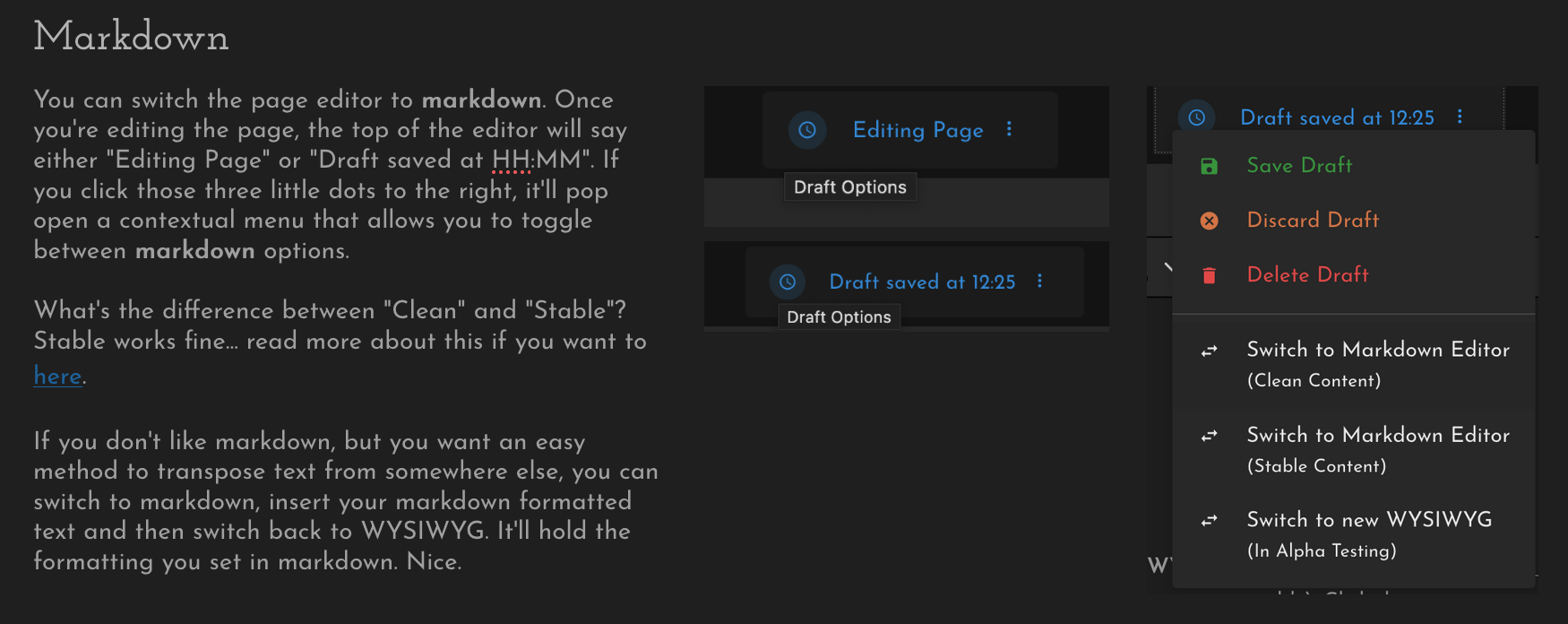
You can switch the page editor to markdown. Once you're editing the page, the top of the editor will say either "Editing Page" or "Draft saved at HH:MM". If you click those three little dots to the right, it'll pop open a contextual menu that allows you to toggle between markdown options.
What's the difference between "Clean" and "Stable"? Stable works fine... read more about this if you want to here.
If you don't like markdown, but you want an easy method to transpose text from somewhere else, you can switch to markdown, insert your markdown formatted text and then switch back to WYSIWYG. It'll hold the formatting you set in markdown. Nice. |
|
|
|
|
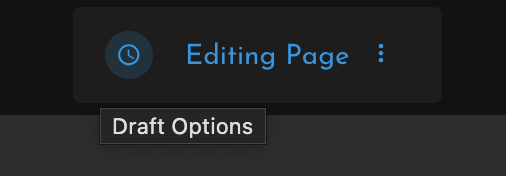

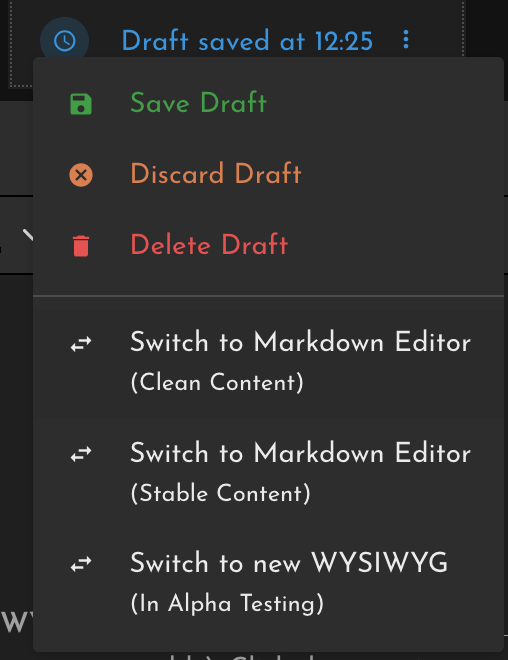
Image Use
Image uploads are limited to 1MB, so if you get an upload error, that's why!
Try to use your own images (and charts, graphs, etc), but if you need to reference something from elsewhere, be sure to credit it. Don't re-use any stock unless you have a perpetual-use-it-anywhere-forever license. This website is under a CC license, so don't be surprised if your images show up elsewhere. If you need to include some watermark, please do so tastefully hehe.
Fair use of copy-written material : The image needs to be used transformatively (e.g., for commentary, critique, humor, or education — not just illustration) ✅
- Use only what you need — crop, compress, and reduce resolution so that it's not competing with the original image.
- Add a caption/disclaimer, e.g.: “Used under fair use for commentary/educational purposes. © NBC/Universal.”
- Don’t overdo it — a few well-placed media references are safer than entire meme galleries.
Image Formatting
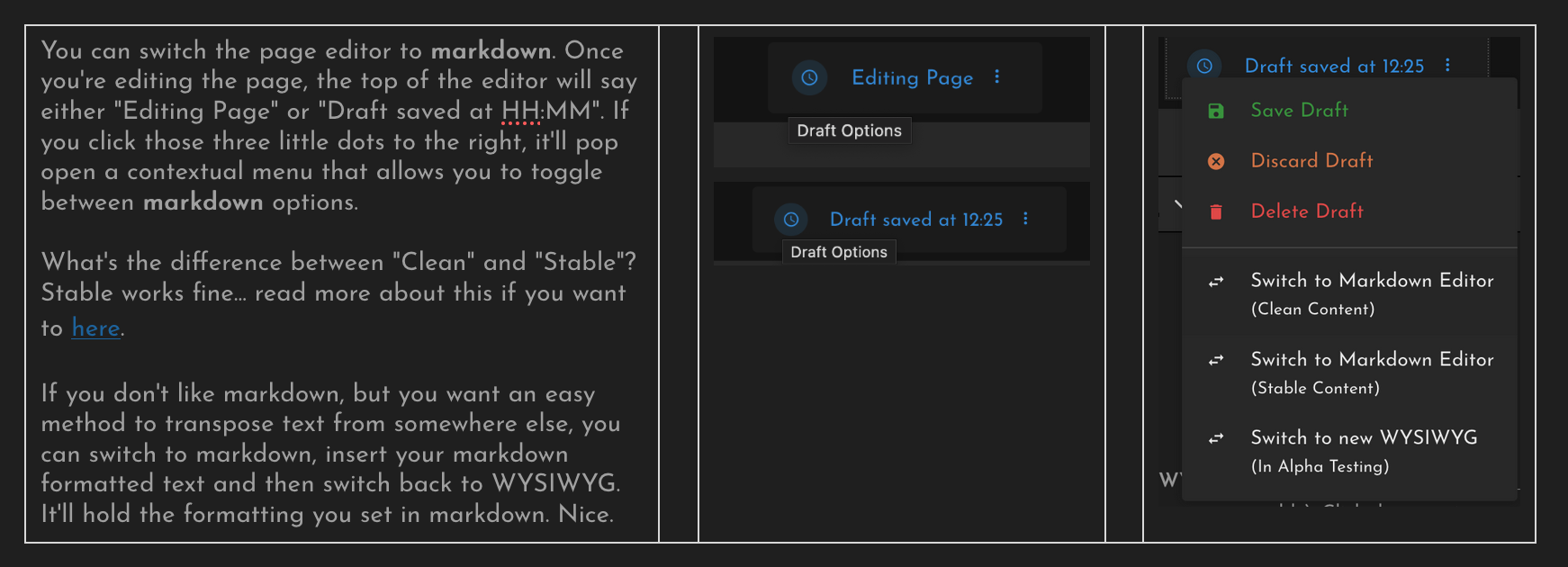
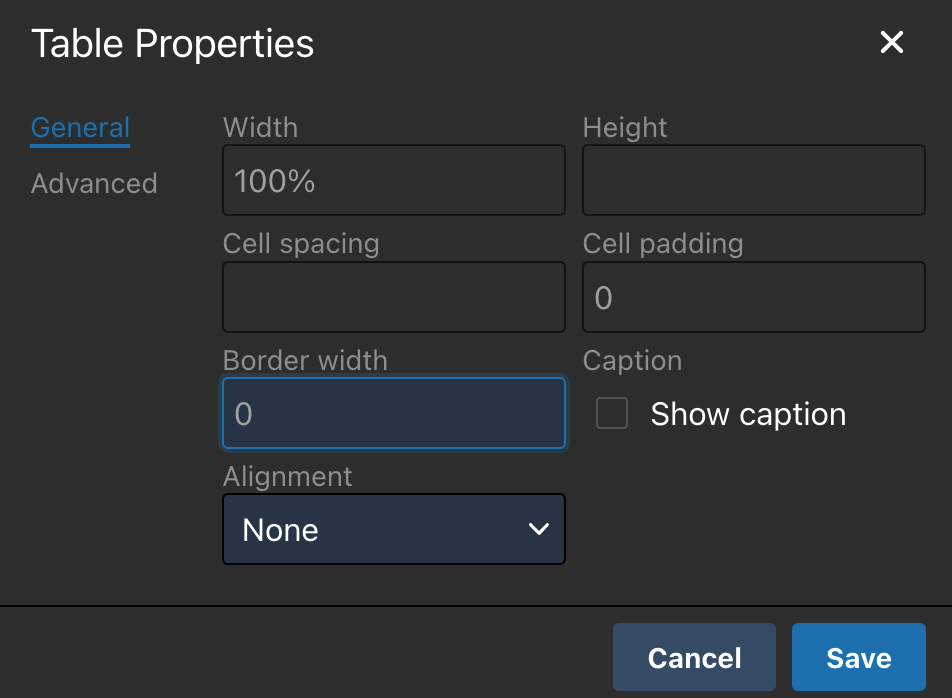
You can place images above or below text exactly the way you'd expect, but putting images next to text requires throwing the content in a table. To make it appear that it's not in a table, you remove cell padding and borders. To keep images from being immediately adjacent text, add margin columns as needed. This helps keep things clean across different browser experiences, too.
For example:
|
|
➡️ |
|
➡️ | ||||
|
|
|
Tags: Please Use Them
|
Tags are helpful in keeping the Almanac organized. Since some items are relevant in multiple places (e.g., software tools used in-tandem with hardware tools), tagging is another way to find information. They're also searchable.
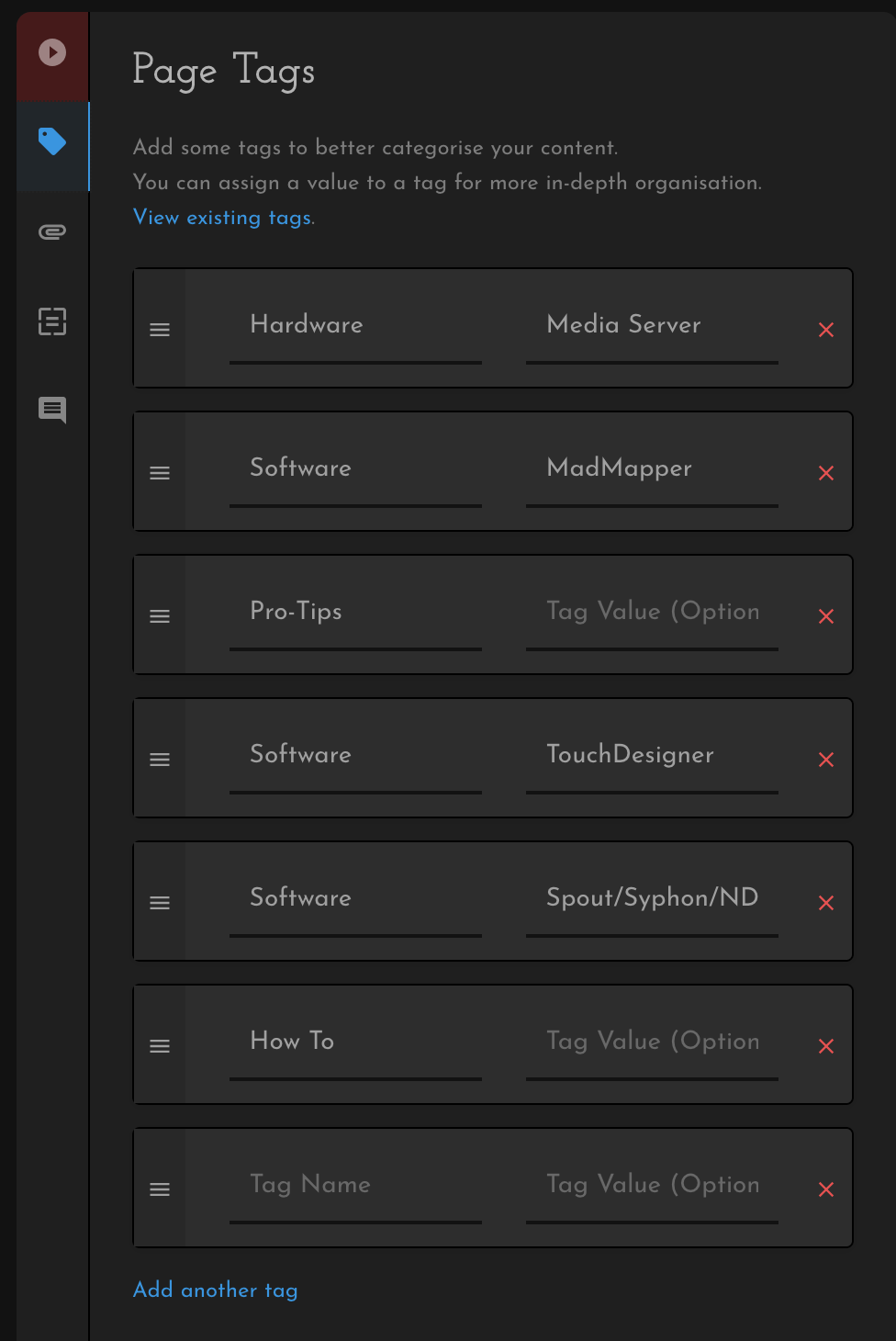
Page tags can be two tiered. The example at right are some tags used for the page Multi-Screen Playback.
Since MadMapper, TouchDesigner, Spout/Syphon/NDI are all topics touched on, we include those Software tags. Additionally, we discuss Media Servers which we sub-categorize as Hardware – much like how categorize the applications discussed as Software.
Use your best judgment here. Trust the process. |
|
|