Media Servers
DIY (TouchDesigner, MadMapper, etc), Pixera, Disguise, Brightsign, etc
Introduction to Media Servers
The term Media Server can mean a lot of different things.
It could mean:
- Your cool uncle’s old computer where he hosts his Plex server
- An Apple TV or ChromeCast or Fire Stick or Roku
- Literally a big server, on a network, hosting Media - like source material for video editors or VFX artists
- A device that plays media to one or more displays - that’s what most CT folks mean when they say “Media Server” ✅
In Creative Technology, Media Server usually means: a device that plays back content for presentation purposes - like in a Museum, during a Live Performance, or on a Film Set. These Media Servers usually have the ability to loop video indefinitely, cue video files, playlist media files – from there, these Media Servers may have the ability to Projection Map, or synchronize to other servers, or trigger custom effects chains, or play generative content, or respond to physical interaction.
There are different levels of servers that can do different things. You could run a menu board at Dunkin Donuts with a $200 laptop, or a $1,000 Brightsign, or a $40,000 Disguise server. But there’s an appropriate tool and price point for every use case.
DIY Media Servers
|
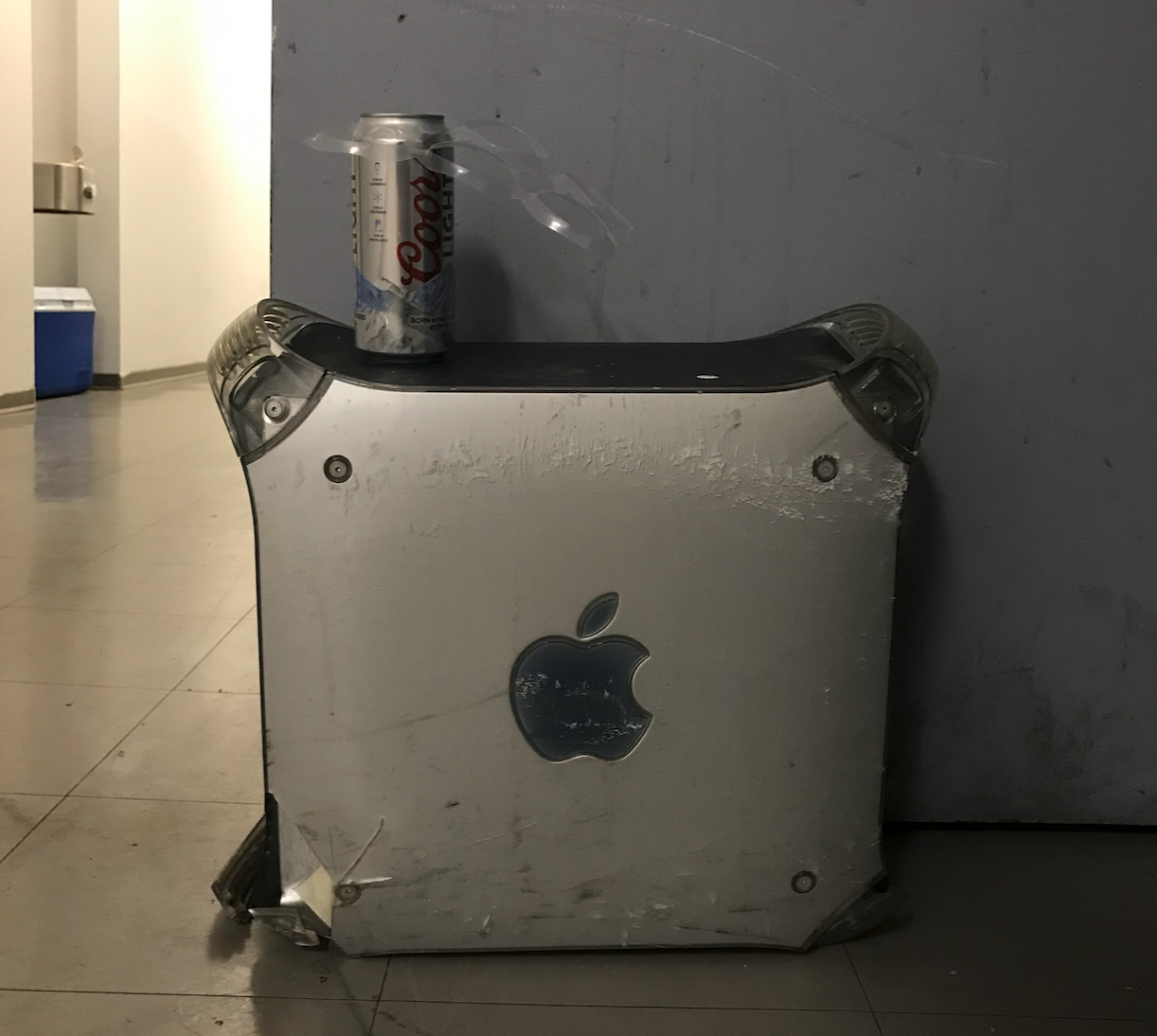
What server and what price point? I’m of the DIY variety. I use DIY here loosely because that could mean a custom built enterprise level server, or a nice Mac Studio, or an old G4 running an ancient version of Isadora, or literally a server you build yourself.
In general, for all things Media Server in-production, I recommend a Windows system. Unless you need to use QLab for some reason.
That said, my main computers are almost always Macs; and older Macs tend to hold up well as Media Servers, too. I almost never use proprietary media servers – these are very expensive servers that were built to run in broadcast 100% uptime environments. I don’t use these because it is rare you’re ever really in a 100% uptime environment, and even rarer that you don’t have redundancy running. |
|
|
Playback Benchmarks
Here are some good benchmarks for servers that you optimize, bench, program, optimize some more, on your own! This performance was checked using software like TouchDesigner, MadMapper, Isadora. Codecs tested were 422, HAP, Notch LC.
- A $3,500 2013 Mac Pro Trashcan can run 3 channels of 1920x1080 at 30fps.
- A $5,000 2018 MacBook Pro (the one with the fucked up loud keyboard and touch bar) can run 3 channels of 3840x2160 at 30fps (or 12 channels of 1920x1080 using 3x FX4s or 3x AJA HA5-4ks)
- A $7,500 2020 Boxx Server or a $6,000 custom server with 2x P400 or 2x RTXA4000 cards is capable of 7 channels of 3840x2160 at 30/60fps (or 28 channels of 1080 using signal splitting devices)
- A $11,000 2023 Boxx Server with 4x RTXA4000 cards is capable of at least 10 channels of 3840x2160 at 60fps (or 40 channels of 1080 using signal splitting devices). You could, in theory, run up to 15 4k channels (60 channels of 1080) out of this server, but performance begins to drag.
Basic Media Servers
- Micca Media Players - These are tiny, cheap, media players that have an HDMI out, a remote and can play media off of a playlisted SD card or USB thumb drive. This is very cheap, but very useful, very easy to use. Not good for anything where you need content updated with any regularity. No sync ability to other devices.
- Brightsign Media Players - These are like Micca players, but 10x the price and they’ll take you, an Adult Professional Engineer, several days to get working properly. Though, once set up, these run in-sync, perfectly, basically forever. You can also connect them up to managed endpoints; like changing menu items, or regularly updated schedules. That menu at Subway at the CT-15 rest stop? Almost certainly using Brightsigns.
Proprietary Media Servers
These can be very expensive but they come with an uptime guarantee and lots of AV folks know how to use them.
For most, maybe 95% of projects, the top-of-the-food-chain Media Server is wildly unnecessary. If the client is willing to spend the dough, maybe tell them you're buying the luxury version, and then build your own, support it for a year or more, and return the difference in cost as a savings to the client. Or maybe that uptime guarantee is worth it if you're in a broadcast environment and don't want to stress it.
If you’re creating bespoke creative technology systems, why would you use something you know how to make yourself? If my CT friend network got to keep the money that was offered to clients as savings by not using these systems, we’d all be retired and have pizza parties daily. Examples of these servers are: Disguise, Hippo, WatchOut, Pixera. Of those, Disguise is the "best", but it’s also the priciest. WatchOut can be installed on a DIY server, so that's a positive. Pixera is supposed to be really good, too.
For posterity - As of 2024, a Disguise VX4 server is approx $150k (4 channels of 4k), VX3 is approx $100k, and an EX3 is approx $50k.
Brightsign
Brightsign Authoring
Brightsigns can be authored in two ways.
The first way is by using their Brightsign Author(ing) tools. This application used to be Windows only and was super clunky. It may have improved dramatically by now, but historically, throwing some basic scripts into a .brs file and throwing it on an SD card was a faster path to success.
Here's a link to a Brightsign post from 2015 with a bunch of basic autorun scripts and here's the language reference etc
Play All 1080i
Here's a script that will play all video files, in order and then loop. Open up your favorite code editor and save this file as "autorun.brs"
debug=false
VideoResolution$="1920x1080x60i"

v=CreateObject("roVideoPlayer")
p=createobject("roMessagePort")
v.SetPort(p)
v.SetVolume(50)

mode = CreateObject("roVideoMode")
mode.SetMode(VideoResolution$)

count=0
playcount=0
countFound=0
countMax=100
DIM mylist[countMax]

read:
list=ListDir("/")

for each file in list
	if ucase(right(file,3)) = "MOV" or ucase(right(file,3)) = "MP4" or ucase(right(file,3)) = "MPG" or ucase(right(file,3)) = "VOB" or ucase(right(file,2)) = "TS" then
		mylist[countFound]=file
		countFound=countFound+1
	endif
next


play:
if countfound=0 then goto read

if debug print mylist[count]
ok=v.PlayFile(mylist[count])
playcount=playcount+1

'advancing count
if count = countFound-1 then
	count=0
else
	count = count+1
endif


if ok=0 then
	if debug then print "Playback failed"
	goto play
endif


loop:
	msg=wait(0,p)
	if debug print type(msg)
if type(msg) = "roVideoEvent" then
		if msg.GetInt() = 8 then
			goto play
		endif
	endif

goto loop
Chinese Media Players
Most widely used : Micca