Travelling
Travel Pro-Tips
In Flight Wi-Fi
This has improved so much in the last few years. Gone are the days where you can completely disconnect on an airplane.
For posterity, as of September 2025, here's a speed test mid-flight (Delta).
Download speed is very good. Upload is bad, not the worst.
Ping is rough but wiggles a lot.

Travel Credit Card
Get a points-based credit card. Use it to make job purchases. Get points. Get reimbursed.
Delta is great for this and I can recommend it. Also their Sky Clubs are killer and worth it if you have access and have time to kill. Especially within chaotic airports, or long delays, or between flights, or on a bad day. Free with a (non-points) Platinum AmEx. $50 with any other AmEx platinum or higher. The rules on this are changing to “keep out the poors” in 2024. Spend $75k or more = free access for the rest of the year you spent $75k in and the following year, too. AmEx Reserve gives you 10 free entries and then $50 / visit after that.
They have great WiFi and their passwords are things like “skymiles” - I’m writing this here because I always forget to write it down and don’t want to have to get up from my Sky Club castle in the sky to find it.
Worth mentioning that travel cards also tend to not have foreign transaction fees. You want this. AmEx is probably the best, but it’s not accepted in much of the non-American world. So I have two: AmEx and Visa.
TSA Pre-Check
Get TSA Pre-Check status!
It doesn't make much of a difference in "first" cities like LA and NYC (where everyone has some version of Pre-Check), but it makes a HUGE difference everywhere else.
For posterity, here's a link to where you go to check on your TSA Pre-Check status. It will give you the expiration date and your KTN as well.
Luggage Wheels Are Complete Trash
You can replace the wheels on a suitcase fairly easily if they start to go or completely deteriorate. In 2012, I bought a suitcase for $30 on Fulton Street in Bed-Stuy. In 2013 while I was on a shoot in Paris, that $30 bag was destroyed by the airline, and they comp’d me with a $200 check for a new suitcase. The wheels started going in 2021, and super glue kept them running for another year. When the wheels finally went for good, I spent a long time trying to figure out if I could get wheel replacements from the manufacturer (couldn’t), or if I could find the wheels (including wheel chassis / caster) from some third party. No dice there. I did find out that you could HACKSAW the wheels off from their pin and get completely new wheels with a new Alan bolt as a pin to replace the Hacksaw piece. You just need the dims of your wheels to do this. If you do it right, it’ll take you twenty minutes and save you from buying a new suitcase!
Luggage Lock Won’t Unlock Or You Forgot the Code
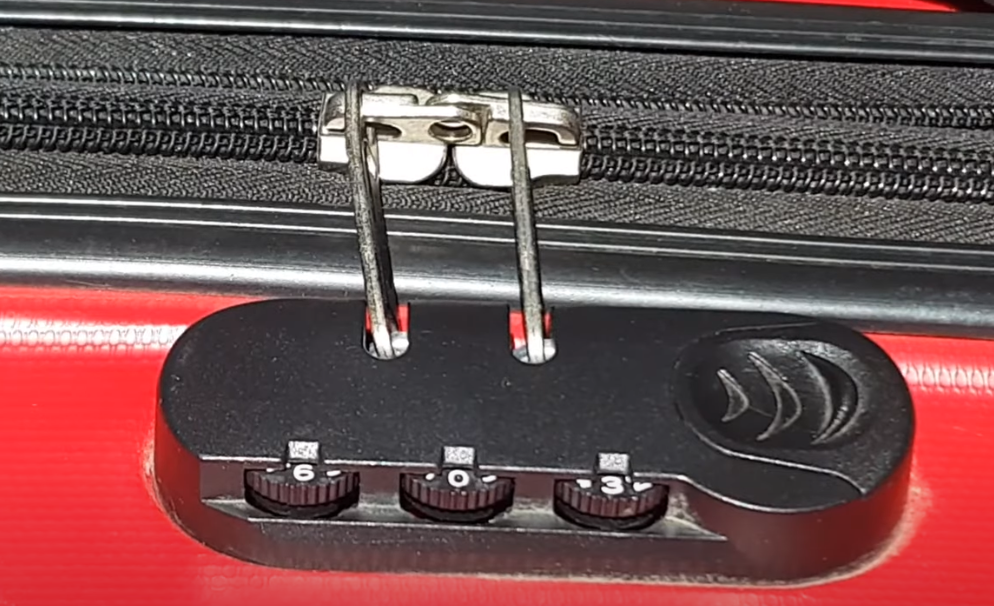 |
These TSA locks sometimes lose their keyed in combination, making the combination you set no longer functional. Or maybe, you have a terrible memory and don’t remember your code.
At worst, this means you can’t access your luggage. |
Some locks have a little tell to help you diagnose it and then unlock your luggage:
- Get a flashlight and look for the hidden notches just below each dial.
- Align the notches so they’re all facing the same position.
- Advance each dial one position in the same direction (rotate all three dials, not just one)
- Try to unlock it after each change of all three dials.
- Repeat steps 3 and 4 until find the current code. If you go the right direction, it’s only a few rotations. I’ve been through this a few times.
To change the combination, go to the current code and hold the lock button in the unlocked position, then set the new code. If that doesn’t work, there’s probably a button on the lock that you need a pen to press. Press that instead of pressing the unlock button and it’s the same idea. Congratulations you did it!!!
Cellular When Abroad
American cellular companies have tiered and pay-as-you-go infrastrucutre for travelling abroad. Depending on your plan, this can be included - where certain countries and regions will work for your plan at no additional cost. I do this now. It used to be that I got Canada and Mexico for free and everything else was pay-as-you-go, but now I get free service in a ton of countries. Tight!
There's also a version of this where your plan doesn't include this ability, but you can add it per day. This is good, but the cost can add up over time to be fairly significant. I used to do this.
Alternatively, you can buy a SIM when you land, pop it in the phone and hope for the best. I used to do this as well, but it was always so annoying to find the right provider that worked with my phone etc.
Now that there's ESIM, you can temporarily install an ESIM and get a data plan for very little money. If you have an iOS phone, you can still make calls using facetime audio or through WhatsApp, but your main phone number won't work. For most folks, this is fine! I can recommend saily - super affordable and in the same company family as NordVPN.
Travel Power
This is automatically populated from the Power section.
We all know that you can have multiple projectors on the same circuit if you do your math correctly or if you have a higher amperage circuit, but for most situations, you either have a 15 or 20 amp circuit and it's usually not dedicated so be careful.
General Warnings
Never plug-in and power up any of these products on the same circuit simultaneously : AC, Hairdryer, Vacuum, Toaster, or Projector
Different Voltage and Dual Voltage
For most consumer products, there are two main voltages – 208 Volts and 110 Volts. Most of the world operates on 208 Volts and in the United States, Canada, Mexico and in some of South America, they operate at 110 Volts. Certain products are rated for one or the other. Some work on both. Some require a different power supply brick to work on a different voltage. Some work with limited functionality on different voltages.
Don’t ever plug-in 208v in 110v and vice versa unless the product is rated 100-240v (dual voltage), or if you have a step-up/down converter.
Some products just need a different power supply or brick if the one you have doesn’t support the voltage you need. This is better than using a step/up down. Things like: switches / wireless routers can often be adapted to other voltages using a different PSU.
International Power
As of 2023, changes in NRTL (Nationally Recognized Testing Laboratory) certification requirements have changed for dual-voltage products. Companies whose products used to be rated 100-240v, are now rated for 125v. Anker, whose power supplies I’ve been using all over the world for over a decade, are no longer rated to 100-240v in terms of their certification, but in practice are rated as 100-240v. If the voltage you need isn’t printed on a product, you might be lucky and find that it does support dual-voltage. Always contact the manufacturer if you need to find this out and spec isn’t clear. I called Anker. That’s how I know!
When traveling internationally, you can use a 220v rated NEMA 5-15 power strip with the relevant adapter on the input end. Anything you plug in from there will work fine as long as it’s rated for 110-220v. However: you may get flagged if you try to do this in the back of a venue. You can either use a fused adapter per device (laptop adapter mode) or you can get an IEC based PDU. As long as all devices are rated 110-220v and have IECs. You can use an IEC male to IEC female into a device PSU, and then the PDU itself has its own IEC that you can swap depending on the outlets for the country you’re in.
Example IEC PDU: Tripp Lite PDU12IEC

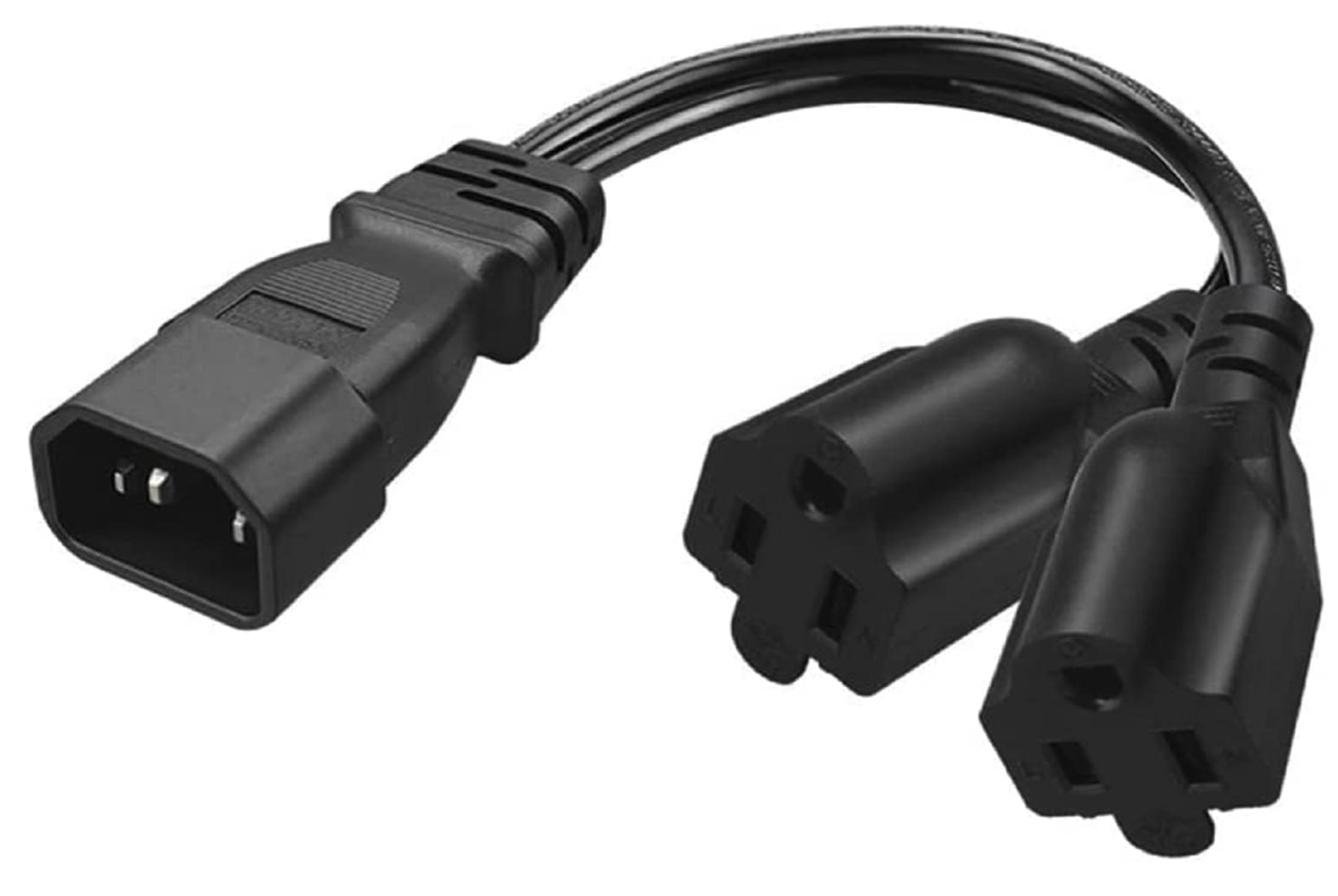
Example IEC 5-15 Breakout That You Shouldn’t Use But Is Totally Fine If You Do Your Math And The Products Are Dual-Voltage: Toptekits C14 to 2XNEMA5-15R