After Effects Scripts & Plugin Directory
Scripts are additional tool panels in After Effects that allow you to speed things up. Scripts are also used for automation – like a "Find & Replace" script.
Plug-Ins are closer to programs... within a program.
High-level difference between the two: a script is run manually and/or can be added as a UI panel. A Plug-in lives in Effects & Presets.
AE Scripts
AE Scripting is time saving. Most of my scripts come from aescripts.com. I probably own about 50. Some are donation-ware. Try to donate if/when you can!
Not all AE scripts exists at this URL and not all tools on this URL are technically “scripts” some are plugins.
| AE-apprepend | Free - god bless the people responsible for this. This handy script will add a prefix or suffix to everything in your render queue (like “-422” for example). |
| AE Global Renamer | If you have a comp tree that has a variable, you can build your comp tree to have things like “ProjectName-%AssetName-Render” and folders in your project bin like “%AssetName” and you can find and replace that variable using this script. Or add a suffix or prefix to certain comps. Fantastic. |
| Auto Crop 3 | This crops a nested precomp to a rectangle representing whatever’s in the current frame. I use this a ton for Projection Mapping and template work so that I can build a key content comp and then have renderers that only target certain surfaces. |
| LockProperties | This will lock selected properties of a layer - like position, or scale, for example. Great for templates. |
| MatchCompDuration | This will change comp duration of selected layers in a comp to match the CTI, the comp duration or with custom duration. Options: include nested layers, include locked layers. |
| Monospacer | Allows you to make any font a monospace font, useful when you want to have a custom timecode display. |
| Move Anchor Point 4 | A click of a button will change the anchor point to the top left, bottom right, center etc, of a layer based on A) the layer B) the comp C) selection |
| RD Comp Setter | Free - Change FPS, resolution, duration etc of comps very quickly and/or in a batch. |
| True Comp Duplicator | This duplicates a comp and all of its nested comps with select variables / inclusions / exclusions. You can duplicate a whole chain of comps, but you can set it to not duplicate a key resource comp. Also great for template building or reusing. At some point I’ll write out a TCD workflow example. I use it a lot. |
AE Plugins
Many of these also work in Premiere, with more limited functionality.
Blace Plugins |
Several tools that use machine learning and/or AI |
||
|
Depth Scanner |
An “AI” tool that you can use to create faux depth in an image (think DOF). This tool works incredibly well off-label as a way to create foreground / background mattes. Blace makes some other matte and greenscreen tools, but I’m guessing those use a similar AI method. To crank it up, throw some levels on a luma matte. |
||
|
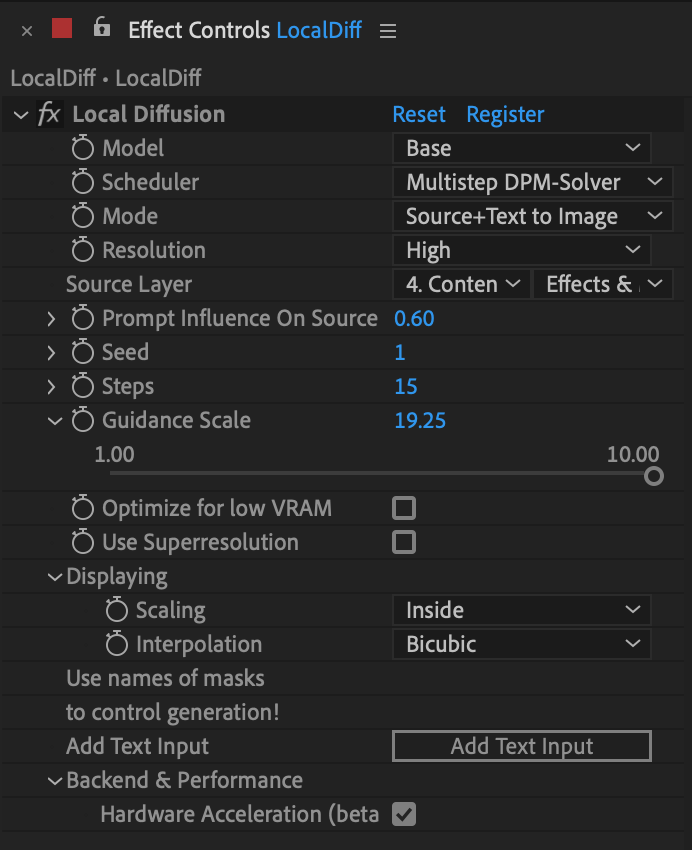
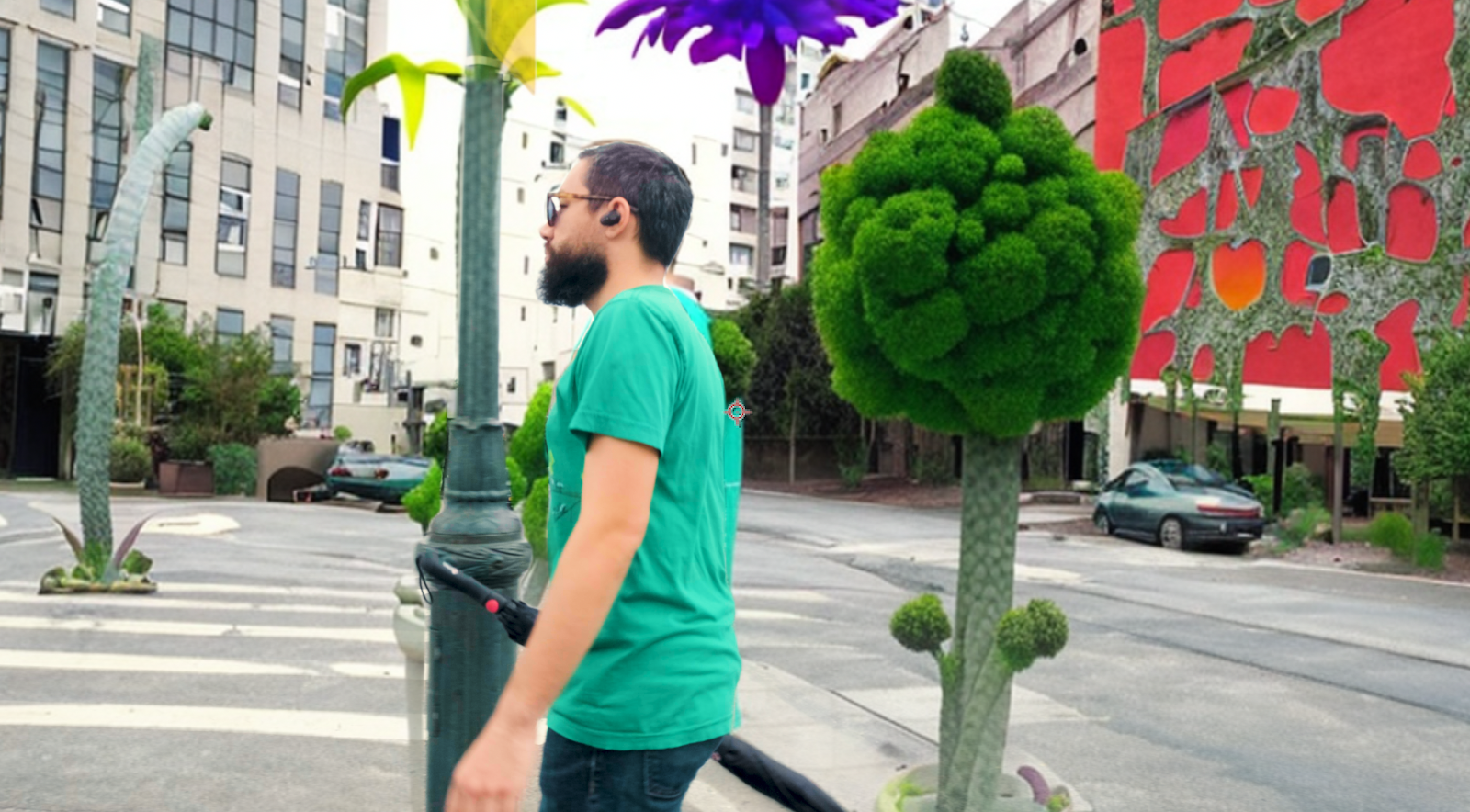
Local Diffusion |
This is their generative AI plugin. It’s incredible. After playing with it a ton on my Mac M1 (would be better on a Windows PC w/ a nice RTX card),
I’ve found a combination that works quite nicely:
|
||
Boris FX & Mocha |
Lots of good repair stuff as part of a CONTINUUM license. Boris’ full suite is stellar, too, but it’s expensive to have everything. I can recommend Sapphire for fun FX.
Mocha has a free limited version attached to After Effects that is a superior tracking and masking tool over the built in AE tools. That said: AE’s masking and tracking covers 70% of my use cases and I’m often too lazy to take the extra step to work faster and smarter in Mocha 🤦♀️
|
||
Mister Horse |
Used to be a buy once and occasionally pay to upgrade. Now it’s a subscription model.
Great motion plug for AE (and Premiere). Can recommend a few different plugins. The text one, the background one, the shapes one, the transition one.
|
||
Neat Video Reduce Noise |
A plugin that reduces noises very well. Best in class for noise reduction.
|
||
Red Giant / Maxon |
Many different tools, below are some of my favorites.
|
||
| Colorista | Color Correction suite | ||
| Form | Another particle system. | ||
| Magic Bullet / Looks | Color and looks effect chain suite. Gateway drug. | ||
| Mir | Another particle system. | ||
| Particular | A particle systems generator tool with a ton of options and presets. Good for snow, rain, smoke, fog, weird shit. | ||
| Primatte | Green screen / color key tool when Keylight doesn’t get you there | ||
| SuperComp | A tool that allows you to comp things way better. Lightwrap, color matching, etc. If you’re doing a ton of greenscreen, this tool is critical! | ||
Video Copilot |
Andrew Kramer's plug-in and script company. He used to update frequently, but now I think he works at ILM. Even though the tools are beginning to show their age, they're still some of the best.
|
||
| Element 3D | Gives you some very basic 3D capabilities in AE. Pretty decent for basic 3D integration. Not for modeling, but incredibly useful. |
||
| FX Console |
#1 must have IMHO.
A free plugin that allows you turn pretty much anything into a key-command. Works like Spotlight / Alfred but within After Effects. |
||
| Optical Flares | Custom optical flares. Not radically different than Red Giants’ version, but it’s a perpetual license which is sometimes preferred. |