Premiere Plugin Directory
Scripts are additional tool panels in After Effects that allow you to speed things up. Scripts are also used for automation – like a "Find & Replace" script.
Plug-Ins are closer to programs... within a program.
High-level difference between the two: a script is run manually and/or can be added as a UI panel. A Plug-in lives in Effects & Presets.
AE Scripts
AE Scripting is time saving. Most of my scripts come from aescripts.com. I probably own about 50. Some are donation-ware. Try to donate if/when you can! Not all AE scripts exists at this URL and not all tools on this URL are technically “scripts” – some are plugins.
| AE-apprepend | Free - god bless the people responsible for this. This handy script will add a prefix or suffix to everything in your render queue (like “-422” for example). |
| AE Global Renamer | If you have a comp tree that has a variable, you can build your comp tree to have things like “ProjectName-%AssetName-Render” and folders in your project bin like “%AssetName” and you can find and replace that variable using this script. Or add a suffix or prefix to certain comps. Fantastic. |
| Auto Crop 3 | This crops a nested precomp to a rectangle representing whatever is in the current frame. I use this a ton for Projection Mapping and template work so that I can build a key content comp and then have renderers comps that only target certain areas/surfaces. |
| Comp Buddy | Light wrap and edge blur – not as thorough as Redgiant's Supercomp, but does the job. |
| Find and Replace in Expressions | Thank god for Troy Yarnell, whoever you are. Does it exactly what it says. Useful for (among other things) when you have expressions referencing a controller and the controller needs to move somewhere else. |
| LockProperties | This will lock selected properties of a layer - like position, or scale, for example. Great for templates. |
| MatchCompDuration | This will change comp duration of selected layers in a comp to match the CTI, the comp duration or with custom duration. Options: include nested layers, include locked layers. |
| Monospacer | Allows you to make any font a monospace font, useful when you want to have a custom timecode display. |
| Move Anchor Point 4 | A click of a button will change the anchor point to the top left, bottom right, center etc, of a layer based on A) the layer B) the comp C) selection |
| RD Comp Setter | Free - Change FPS, resolution, duration etc of comps very quickly and/or in a batch. |
| Render Frame at Markers | So you need to export a ton of stills from an After Effects comp for some reason? Can also be used to export stills from a finished product – way faster to use this tool in After Effects than to manually export a ton of stills using Premiere. Give Lloyd some money for this Name Your Own Price tool. |
| True Comp Duplicator | This duplicates a comp and all of its nested comps with select variables / inclusions / exclusions. You can duplicate a whole chain of comps, but you can set it to not duplicate a key resource comp. Also great for template building or reusing. At some point I’ll write out a TCD workflow example. I use it a lot. |
AE Plugins
Many of these also work in Premiere, with more limited functionality.
Blace Plugins |
Several tools that use machine learning and/or AI |
|||
|
Depth Scanner |
An “AI” tool that you can use to create faux depth in an image (think DOF). This tool works incredibly well off-label as a way to create foreground / background mattes. Blace makes some other matte and greenscreen tools, but I’m guessing those use a similar AI method. To crank it up, throw some levels on a luma matte. |
|||
|
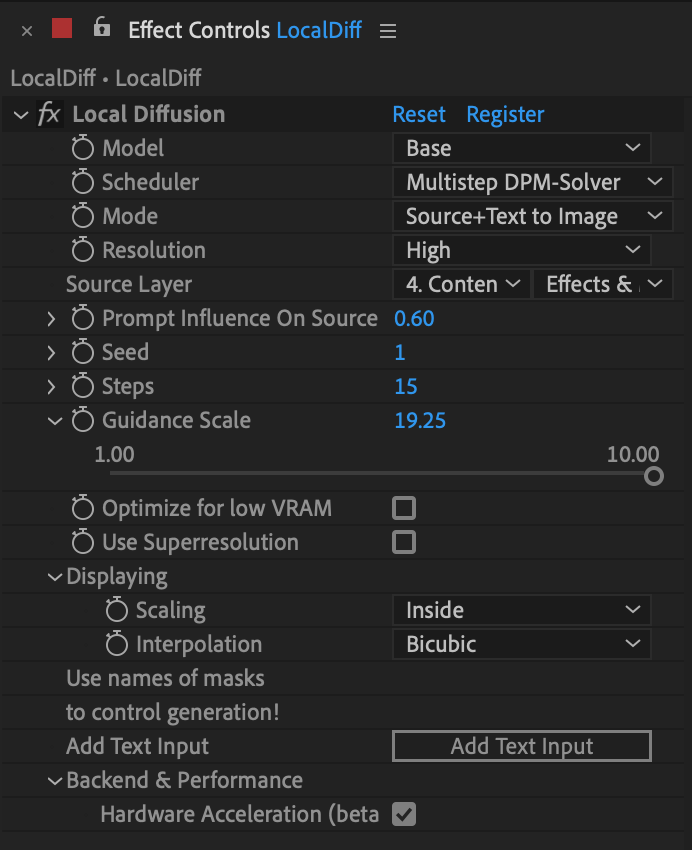
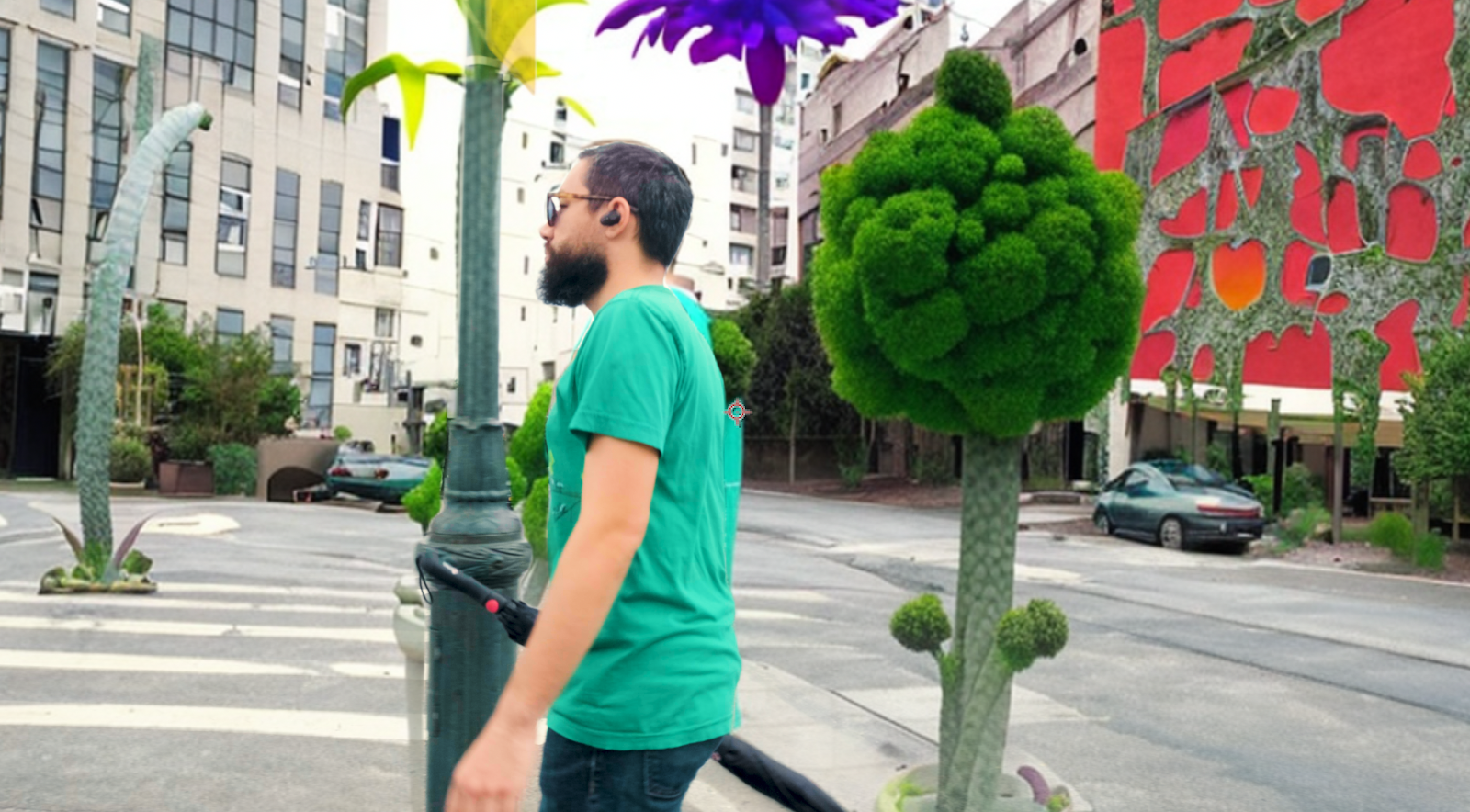
Local Diffusion |
This is their generative AI plugin. It’s incredible. After playing with it a ton on my Mac M1 (would be better on a Windows PC w/ a nice RTX card),
I’ve found a combination that works quite nicely:
|
|||
Boris FX & Mocha |
Lots of good repair stuff as part of a CONTINUUM license. Boris’ full suite is stellar, too, but it’s expensive to have everything. I can recommend Sapphire for fun FX.
Mocha has a free limited version attached to After Effects that is a superior tracking and masking tool over the built in AE tools. That said: AE’s masking and tracking covers 70% of my use cases and I’m often too lazy to take the extra step to work faster and smarter in Mocha 🤦♀️
|
|||
Digital Anarchy's Flicker Free |
Helps repair media that has rolling refresh bands due to incompatible shutter speeds and frame rate combinations with non-continuous lighting sources like CFL bulbs or projection lamps. This doesn't fix all the problems, but it does fix many many of them. Highly recommended.
This plug has been around for a decade and sometimes works magic, and other times, doesn’t. Shot a concert at 120fps and 1/120.3 and it took care of it. Doesn’t do as good of a job with rolling refresh bands (like on an LED screen or in projection). A good reminder to : ALWAYS CHECK YOUR FOOTAGE!
|
|||
Mister Horse |
Used to be a buy once and occasionally pay to upgrade. Now it’s a subscription model.
Great motion plug for AE (and Premiere). Can recommend a few different plugins. The text one, the background one, the shapes one, the transition one.
|
|||
Neat Video Reduce Noise |
A plugin that reduces noises very well. Best in class for noise reduction.
|
|||
Red Giant / Maxon |
Many different tools, below are some of my favorites.
|
|||
| Colorista | Color Correction suite | |||
| Form | Another particle system. | |||
| Magic Bullet / Looks | Color and looks effect chain suite. Gateway drug. | |||
| Mir | Another particle system. | |||
| Particular | A particle systems generator tool with a ton of options and presets. Good for snow, rain, smoke, fog, weird shit. | |||
| Primatte | Green screen / color key tool when Keylight doesn’t get you there | |||
| SuperComp | A tool that allows you to comp things way better. Lightwrap, color matching, etc. If you’re doing a ton of greenscreen, this tool is critical! | |||
Video Copilot |
Andrew Kramer's plug-in and script company. He used to update frequently, but now I think he works at ILM. Even though the tools are beginning to show their age, they're still some of the best.
|
|||
| Element 3D | Gives you some very basic 3D capabilities in AE. Pretty decent for basic 3D integration. Not for modeling, but incredibly useful. |
|||
| FX Console |
#1 must have IMHO.
A free plugin that allows you turn pretty much anything into a key-command. Works like Spotlight / Alfred but within After Effects. |
|||
| Optical Flares | Custom optical flares. Not radically different than Red Giants’ version, but it’s a perpetual license which is sometimes preferred. |