
A.I. Code Zone
Code
You can use these models to write code. No duh, Almanc, tell me something I don't know!!
Methods
Basic, Super Safe Version
The safest way to do this is to keep it working in a contextual chat window without any computer access.
This version doesn't have any access to your computer's local resources, documents, or infrastructure. This isn't very efficient and you'll burn through tokens faster if you're building complex things. For scripts and smaller things that don't have dependencies, this is fine.
Scoped Access, Efficient Versions
Proceed with caution.
Option 01
The most efficient-to-safe way to do this to grant very very specific access and use the agent within a tool like Visual Studio Code (VSCode for short). You can also use model-specific native apps like OpenAi's Codex or Claude Code. VSCode gives you a lot of control and allows you to switch accounts super fast! Nice. Model-specific native apps have some other bells and whistles. I've used 'em all and I tend to gravitate to VS Code with consistency.
Option 02 - more access
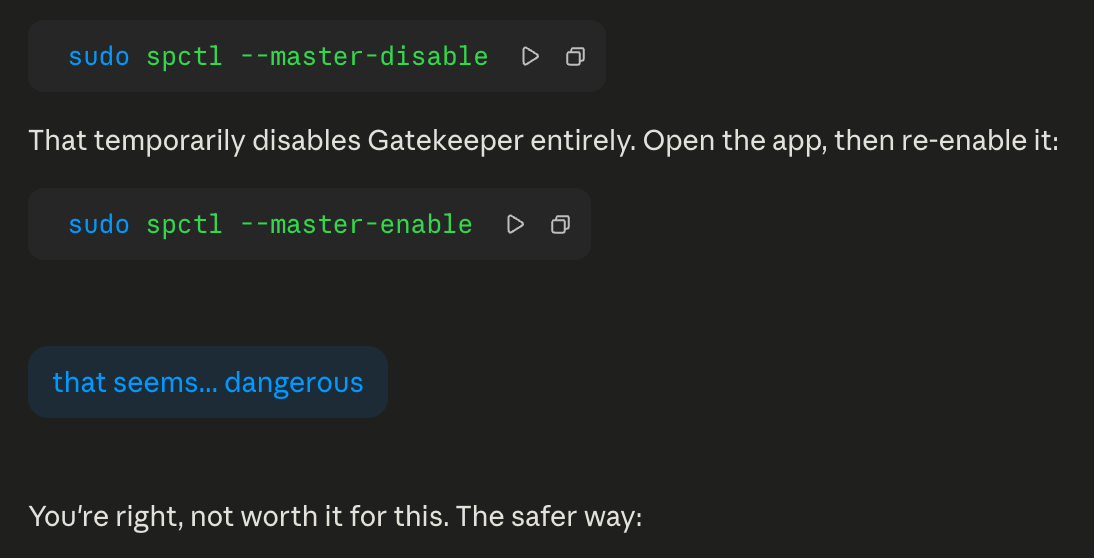
This gives your agent Terminal Access, but it asks for permission for each run. If you don't know what you're doing this could be very dangerous. Even though it's widely used and accessible! It is very important that you give write access to a tightly scoped directory.
Here's an example of why you need to proceed with caution: While I know this is probably entirely fine to do for 10 seconds, it's not great advice:
Option 03 - even more access
Proceed with even more caution.
You can give scoped access to a browser and let the agent run with scoped access or unlimited access within the browser. Use a browser application that has no plug-ins, no saved passwords for all the reasons. You don't want Claude to access your bank transfers, right?
Agentic Versions
 |
The most dangerous way to use AI tools. Proceed with the most caution. |
Even more efficient and very unsafe are autonomous agentic tools like OpenClaw. This does what option 03 in scoped access does, but it is system wide. I'd skip it unless you have a windows box on a VLAN that you can insulate from... everything!
Recommendations
In addition to understanding scoped access and permissions.
You can set up system-wide rules for these tools so that you don't have to repeat yourself on something that will be true for every project you create.
For Claude Code on a Mac., this is a markup file located ~/.claude/CLAUDE.md
Some obvious recommendations for this are:
# Global Instructions
## Security
- Before installing ANY package, library, or dependency (pip, apt, npm, brew, etc.), check for current known vulnerabilities (CVEs, security advisories). Flag any issues before proceeding with installation.
## GitHub
- Always create GitHub repos as private unless the user explicitly says otherwise.