Case Study : ISP FUX - An ISP Monitor
I use a website calling pinging.net when I am troubleshooting naughty ISP issues. It's a great website. But what's always bugged me is that I can't access it if I'm... offline. The trick is to load the website when you have internet and keep it running when you don't.
I also use a variety of Speed Test tools to check how my speeds are doing. If I'm paying for 1000 down, I want 1000 down when I'm wired to LAN (and close to 1000 down when I'm on WiFi that supports that speed).
I've never liked the way that Google's Speed Test is handled. Speedtest.net, while very accurate, has advertising that's annoying and that can contribute to your issues when you're debugging naughty internet.
Enter ISP FUX, a tool I made in a weekend week and a half using ClaudeClaude. thatThe tool runs in the background and has a UI in your browser.
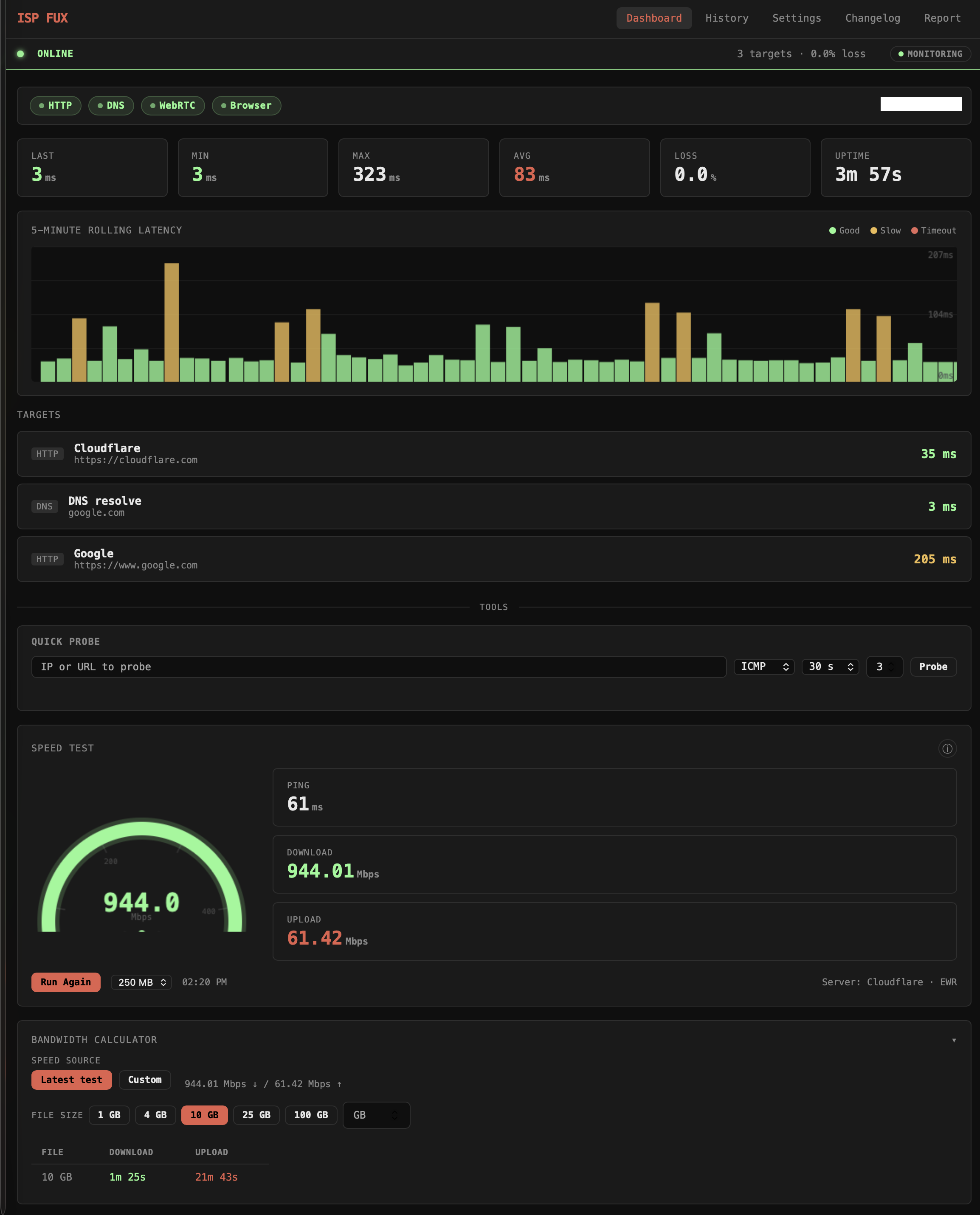
It monitors my pings over a custom interval.
It also has a Bandwidth Calculator to tell me how long something will take to download or upload based on my most recent tests (assuming whatever service I'm using can take advantage of the full bandwidth). I am frequently needing to calculate stuff like "it'll take 22 minutes to upload this 10 GB file" or whatever so this is very useful.
The Speed Test here took a bunch of time. Single tests vs. simultaneous tests. Where I'm running the test to/from. Etc! Each test runs three phases against Cloudflare's speed test infrastructure. Ping fires 5 small requests and takes the median round-trip time to filter out outliers.
Download opens parallel streams simultaneously, 2–10 depending on the file size you picked, across two independent sources (Cloudflare and Cachefly); the first 750ms of each stream is discarded to let TCP slow-start settle, then sustained throughput is measured on the remainder. If a source stalls for 4 seconds with no incoming bytes it's aborted and flagged. The headline download figure is the best result across both sources, not an average.
Upload works the same way, parallel streams of random bytes sent to Cloudflare's endpoint, warmup discarded, sustained rate reported. The whole test is run server-side by the Node process, so your browser's overhead doesn't affect the numbers, and results are stored locally in SQLite for correlation against your packet loss history.
Here's the ping history:
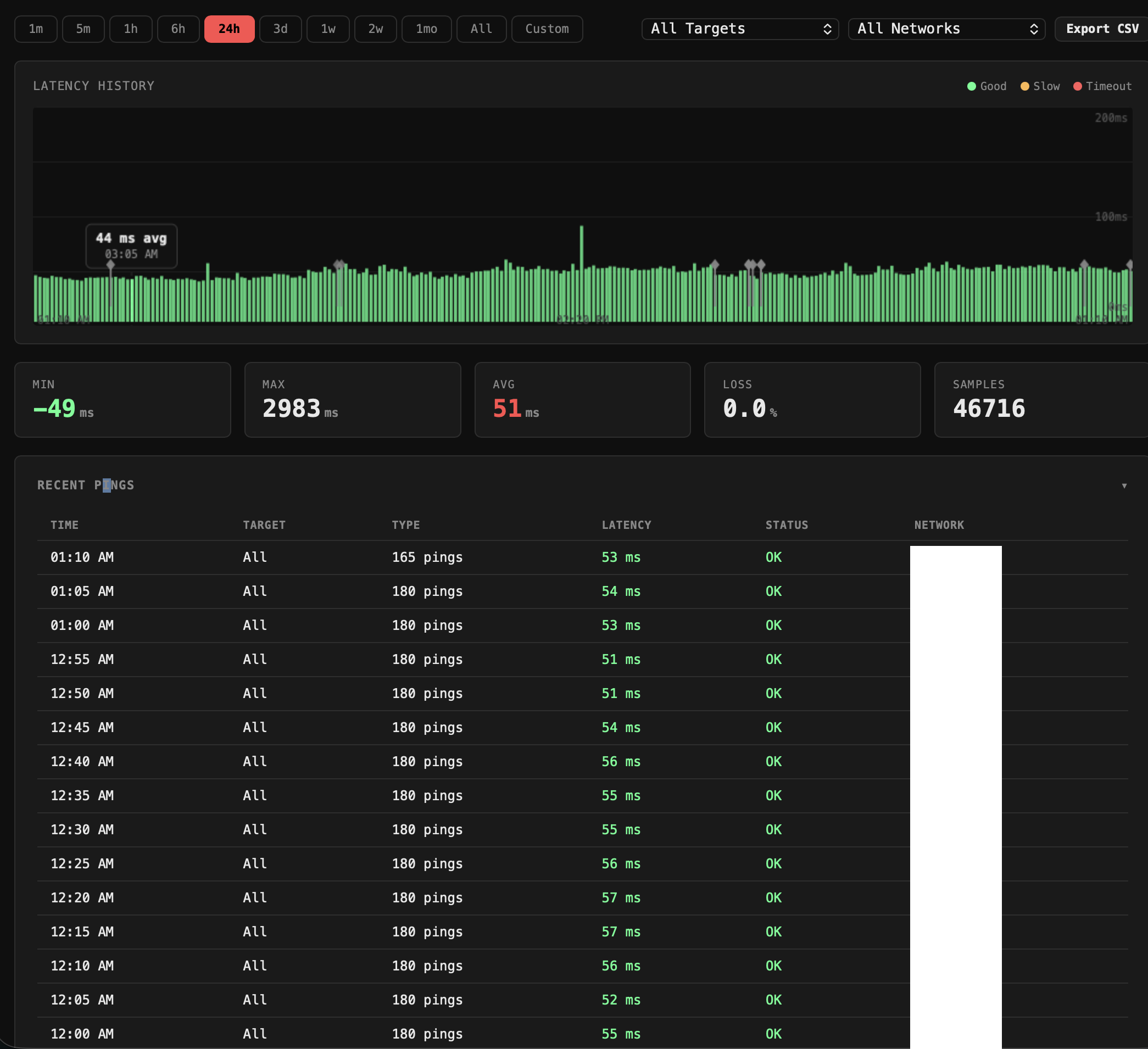
Additionally, the tool tracks the history of all the pings and Speed Tests.
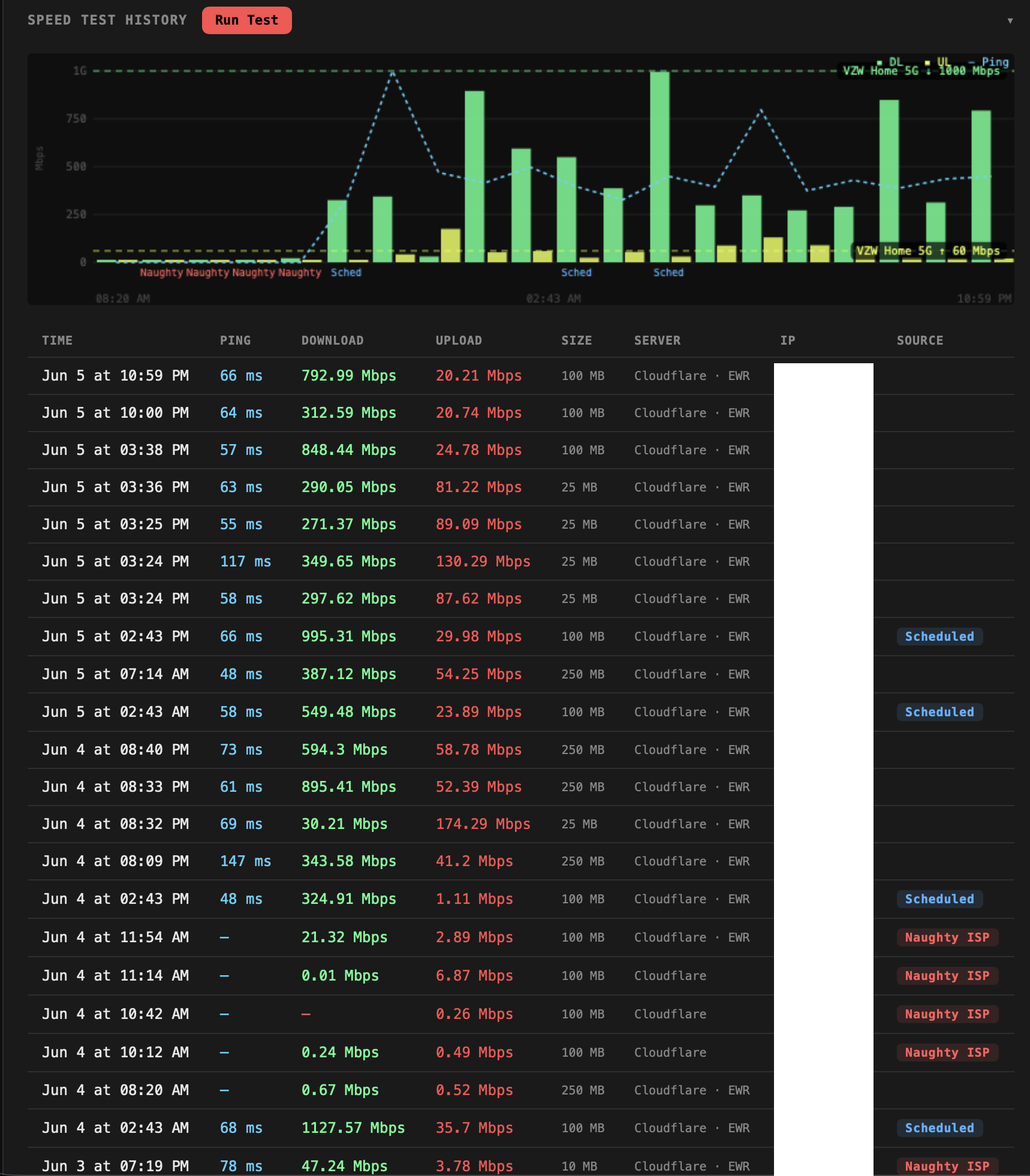
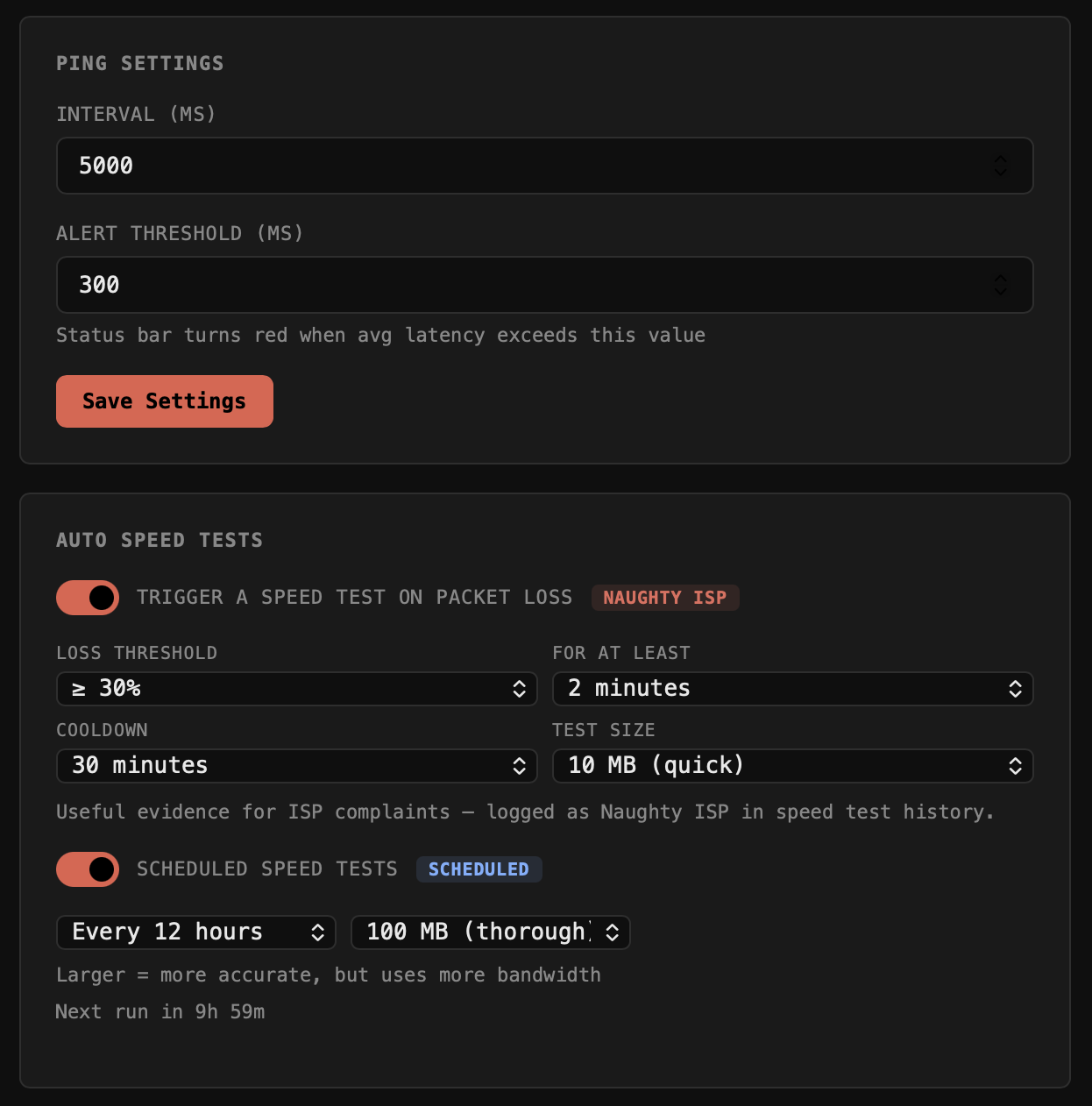
The Speed Tests will auto trigger tests either on a schedule and/or based on a failure trigger.
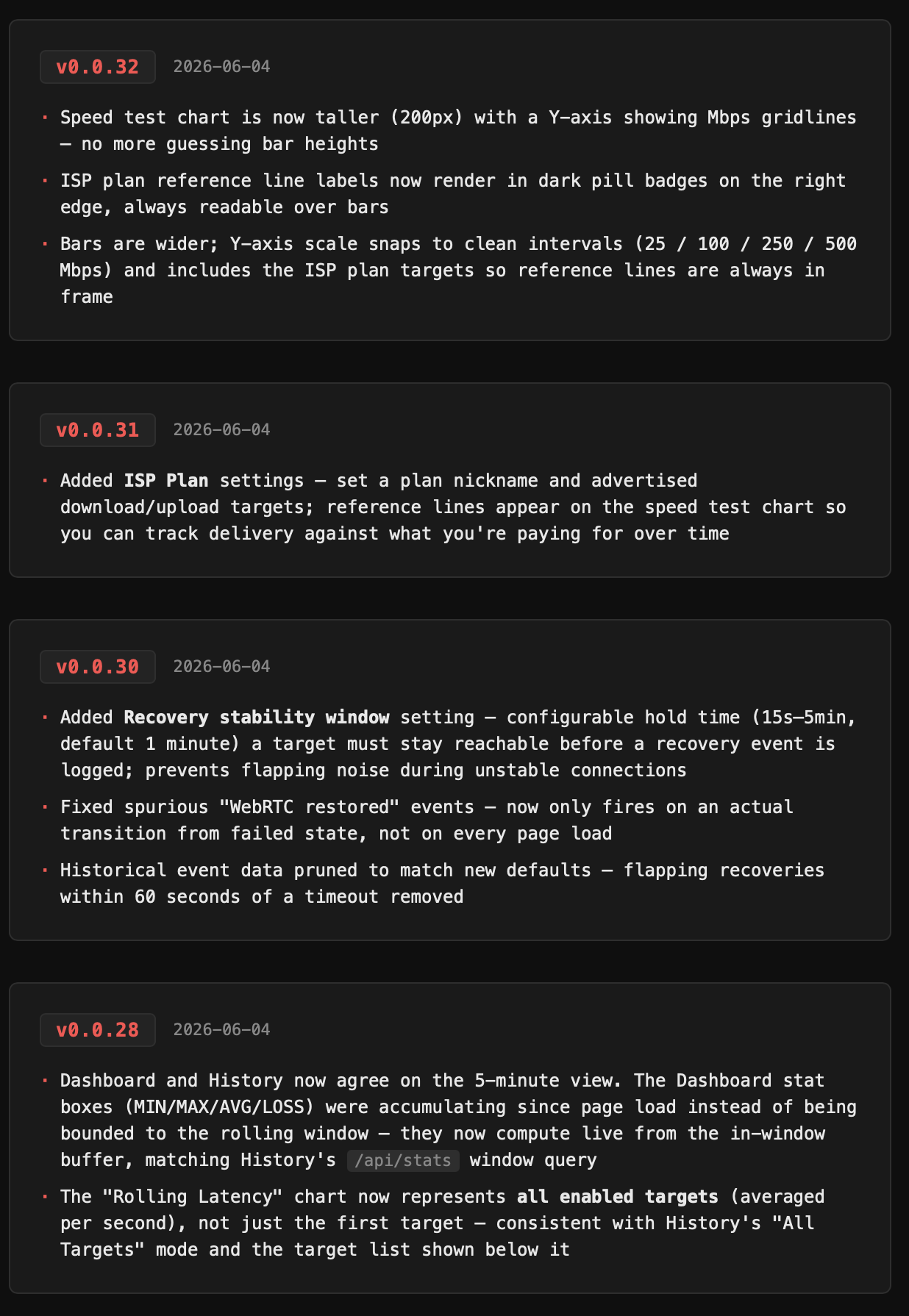
Per usual, I also have a changelog, as of this writing, it's at v0.0.32. That's a lot of effort for a tool to just keep tabs on a naughty ISP