How To Draw a Projector Frustum
In order to get started drawing a frustum, you need the following information:
-
Projector Lens Throw Ratio
-
Projector Lens Cone Type
-
Projector Target Coverage (or sample coverage, will explain below).
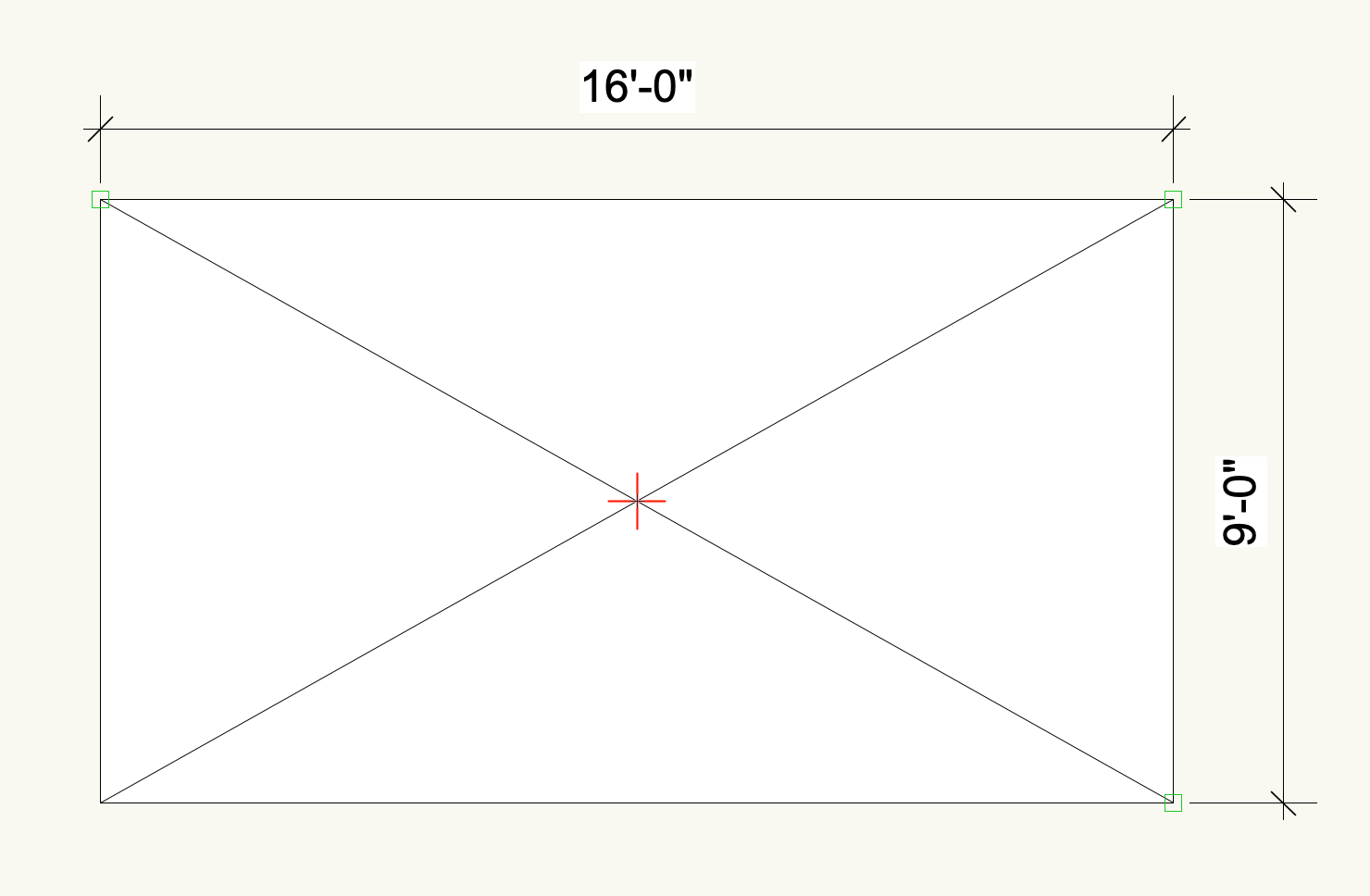
My throw ratio for this lens is .5:1. The lens is a center (red +) cone (without any lens shift, the projector is in the horizontal and vertical center of an image when projected on a flat surface). My ideal coverage is 16’ wide by 9’ tall. To get the distance away from the surface to the projector lens, I can multiply the target width 16’ by the throw ratio of .5. This tells me the lens distance away is 8’. If you’re just looking to get basic info, this is all you really need to do. If you need exact projector positioning or whether or not the projector fits into a specific space, then you can make a frustum in 3D.
In Vectorworks, this is quite simple. You create a rectangle that is your target size and you throw a locus in representing the projector cone. You then select both things, and select Model→Multiple Extrude and extrude by your lens distance. With the extrude dialog present on your screen, you put in your throw distance.
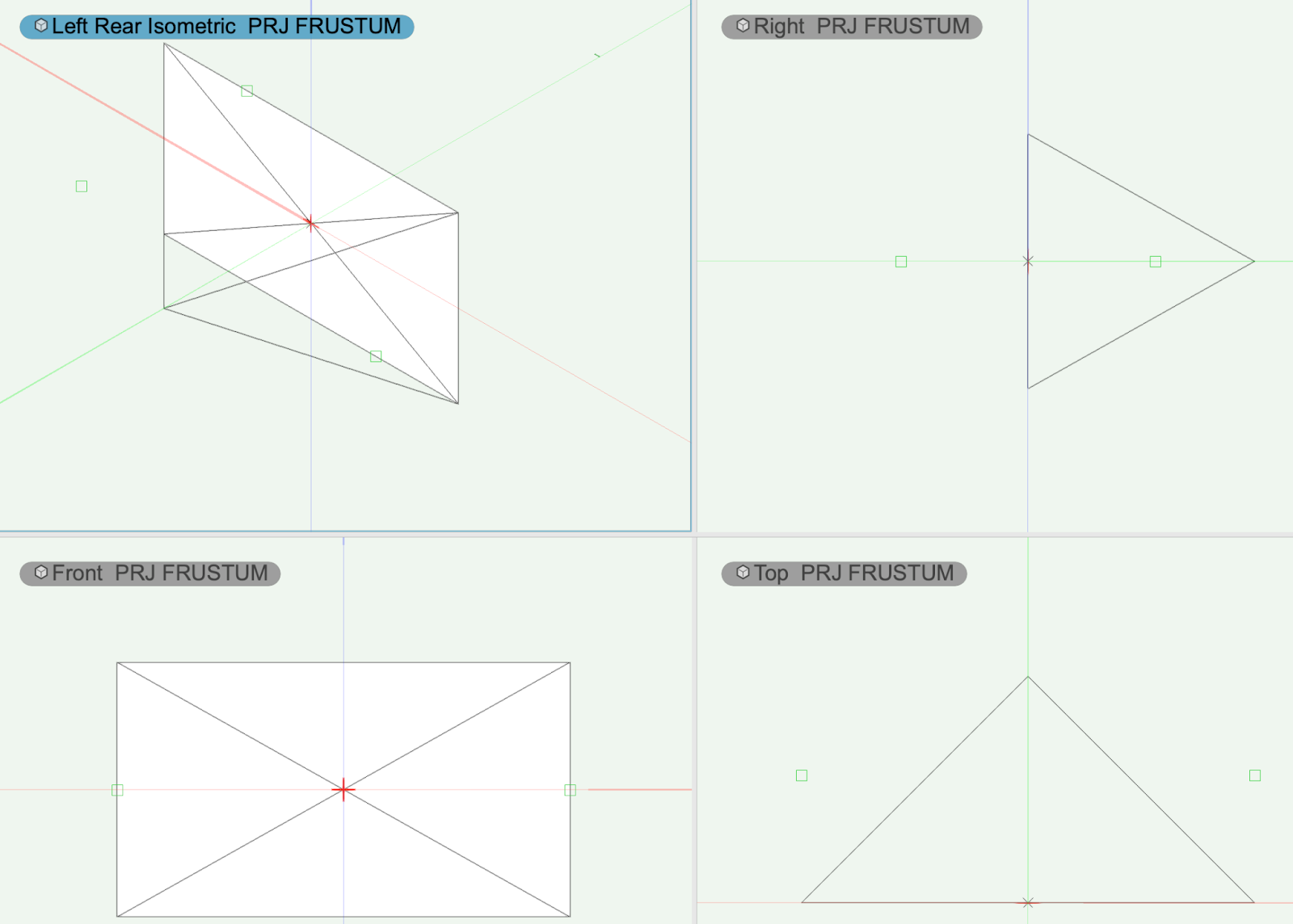
Earlier, I had said “or sample coverage.” By that I mean, if you know your frustum, but you need to determine your distance, you can use a sample dimension to model the 3D frustum, and then extend (or reduce) that model proportionally until you get to your surface (in VWX this extrude option is called “Move Face Mode”). If you’re an After Effects person, working this way is kind of like putting your anchor point at the lens and then extending (or reducing) the length proportionally to the desired distance. This keeps the aspect ratio between the cone center and the image intact!
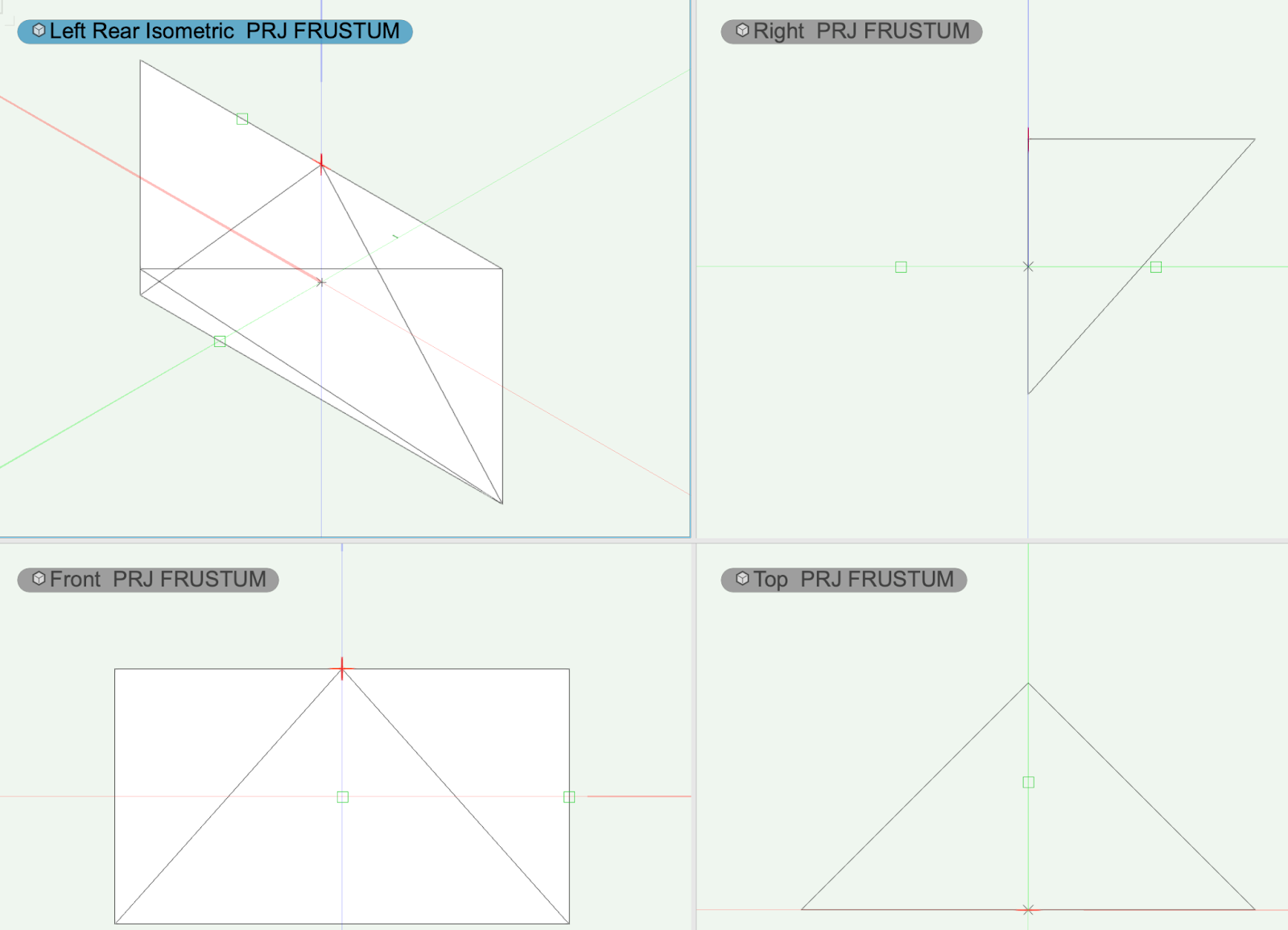
The other very typical lens cone you might see is one that is aligned to the top or bottom of the image. For this type of lens cone, this is what the frustum looks like.