
Case Study : YT-DLP-IS-TOPS Streamin' Video Downloadin'
If you're like me, you've been using some version of youtube-dl for lat least a decade. You've also probably used it in bursts, for a specific project or thing, and then forgotten the structure, and then re-learned it. Over and over again! Youtube-dl eventually died and then rose from the ashes as yt-dlp. It's great!
You've also probably figured out a very specific use case that makes you a repeat customer. But typically it's that you need some clip that your client owns but lost and the best quality version that you can get immediately is on youtube (or vimeo).
Enter yt-dlp-is-tops, a UI for YT-DLP that allows you to do a lot of things, but doesn't have unnecessary bells and whistles. There are tons of tops (UIs) for yt-dlp, but I didn't like any of them hah.
I built this on and off over a few weeks with Claude.
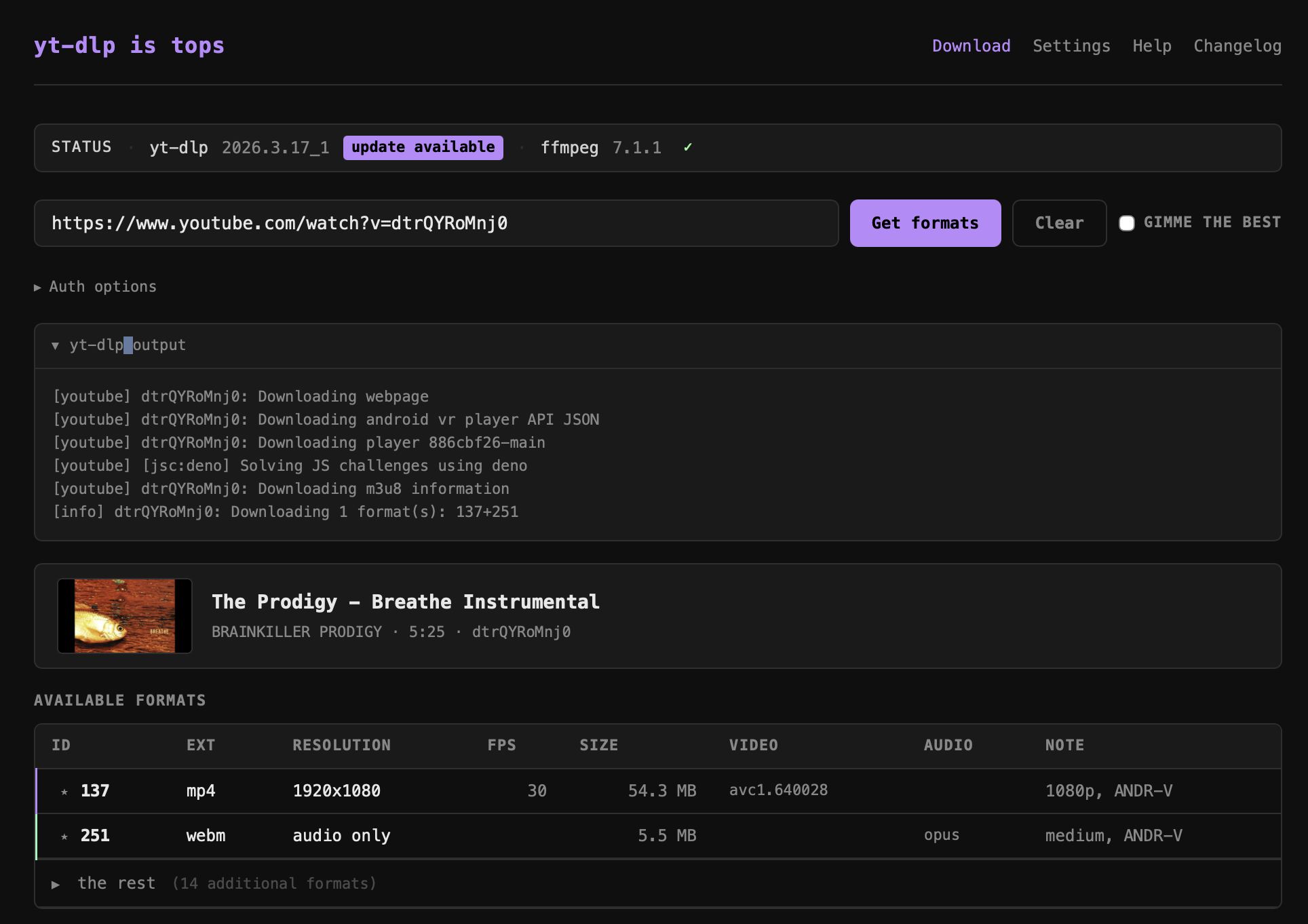
yt-dlp-is-tops is a lightweight local web app (Node.js + Express, no framework) that wraps yt-dlp and ffmpeg in a clean browser UI, replacing the usual copy-paste terminal workflow for downloading video.
Core workflow
- Paste any URL → the app fetches full video metadata and all available formats via
yt-dlp --dump-json - A format table shows every stream (ID, extension, resolution, FPS, filesize, video/audio codecs, note), sorted best-first
- Click a row to download it, or select a video row + an audio row to MUX them — yt-dlp downloads both and ffmpeg merges them losslessly into an mp4
Format & metadata display
- Video metadata block: title, uploader, duration, video ID, thumbnail
- "Gimme the best" checkbox auto-selects the top video + audio streams
- Best formats are auto-highlighted in the table
- Format IDs are shown and usable directly
Download experience
- Live streaming progress bar (parses
[download] X%lines in real time) - Collapsible verbose log below the progress bar
- Show in Finder button after download completes
- Download history with persistence across sessions
Subtitle support
- Subtitle track selection with options to embed subs into the file or download them as a separate file
Auth support
- Options for password-protected videos (username/password)
Settings
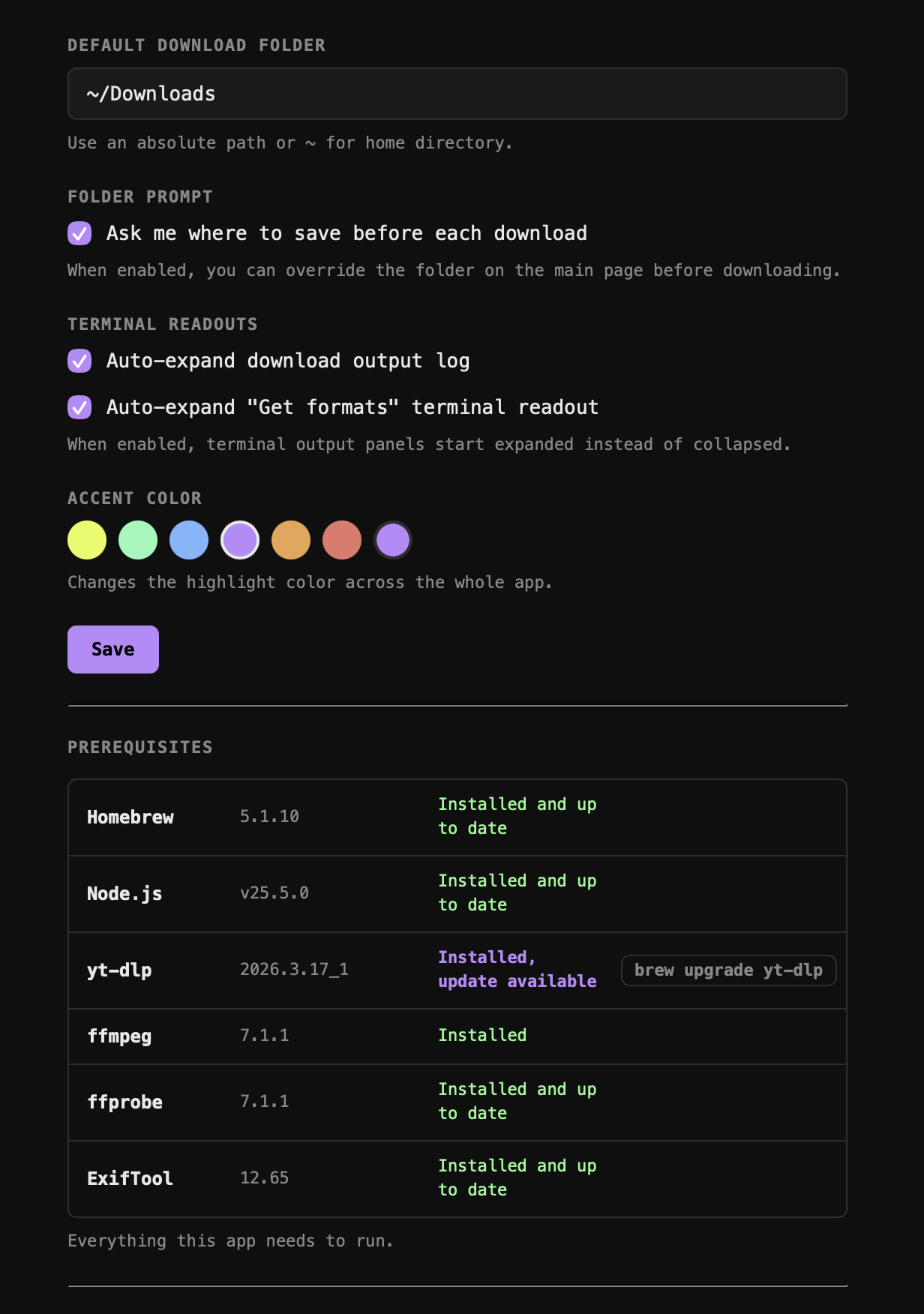
- Configurable default download folder or "ask every time" mode
- Accent color theme (CSS variable, applied globally via
theme.js)
Status bar
- Shows yt-dlp and ffmpeg versions + whether Homebrew updates are available for each
- One-click upgrade for yt-dlp via the UI
Check out those pre-requisites!!! Awesome.
No comments to display
No comments to display